


|
By Rodolfo Casas
Your first login to a Red Hat OpenShift cluster can feel like sitting in an unfamiliar cockpit: dozens of menus, two perspectives, and dashboards full of metrics you haven’t learned to read yet. The OpenShift Console pulls all of it into one browser-based interface, so you can see what’s running, fix what’s broken, and deploy what’s next without memorizing a single oc flag command.

|
By David Safaii
Running Kubernetes in production takes real work. Patching control planes, managing upgrades, and keeping clusters highly available pulls engineers away from shipping applications. Red Hat OpenShift on IBM Cloud removes that operational load. IBM runs the platform as a fully managed service, and your team keeps its attention on workloads.

|
By Kevin Jackson
Most teams find the holes in their recovery plans at the worst possible time: a flooded data center, failed storage array, or ransomware note sitting on the same server as the backup catalog. Offsite disaster recovery removes that single point of failure, but only when the copy is truly separated from production by geography, network path, and access control. Distance by itself won’t save you.

|
By Rodolfo Casas
Ransomware crews go after backups first. Before any production file gets encrypted, they hunt down your backup catalog, snapshots, and repository credentials. The real question is whether your backups can survive an attacker who is actively trying to destroy them. This guide covers how to protect backups from ransomware with specifics: immutable and WORM storage, the 3-2-1-1-0 rule, air-gapping, network segmentation, encryption, and access controls that hold up under pressure.

|
By Kevin Jackson
My name is Kevin Jackson. I have been working with OpenStack since the first releases in various capacities — as an operator, author, architect, and currently at Trilio, where I assist organisations with cloud backup and recovery strategies. Over the years, I have watched OpenStack mature from an early-stage project into the core infrastructure underpinning demanding private and public clouds across telecoms, financial services, and the public sector.

|
By Kevin Jackson
Kubernetes trusts everything inside the cluster by default. Any pod can reach any other pod, IPs change with every rolling deployment, and one compromised container gives an attacker a path across your entire environment. Kubernetes zero trust replaces that default with a simple rule: Never trust, always verify, regardless of where a request comes from.

|
By David Safaii
On June 3, 2026, the European Commission made a notable shift in technology policy, approving a wide-ranging package of measures designed to strengthen the EU’s digital independence and reduce its reliance on non-European technology across semiconductors, cloud computing, and AI.

|
By Kevin Jackson
Who actually controls your data, your infrastructure, and the software your organization runs on? That question is on the agenda of every CIO and DevOps lead. Digital sovereignty has become a strategic priority, but what does it look like in practice? And why should IT teams care beyond the policy headlines?

|
By Rodolfo Casas
When a system goes down, every minute offline costs you revenue, customer trust, and operational stability. The recovery time objective (RTO) defines exactly how long your organization can tolerate that downtime. It should be determined before anything breaks because it drives every infrastructure, staffing, and tooling decision in your disaster recovery plan.

|
By Rodolfo Casas
When a primary server or database goes down, every second of downtime costs money. Automatic failover detects those failures and redirects traffic to a standby system without paging anyone at 3 am. Even consumer networking hardware is catching up in this regard.

|
By Trilio
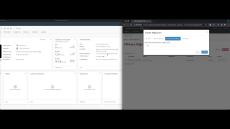
Welcome to this short video on using a new feature of Trilio for OpenStack to migrate VMware VMs to OpenStack. In this video, I will demonstrate how we will migrate a couple of CentOS VMs to my Red Hat OpenStack Platform cluster. Trilio for OpenStack integrates into the Horizon experience, and from here we can launch the VMware Migration plugin to create a Migration Plan.
|
By Trilio
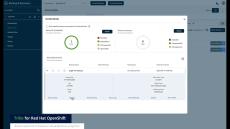
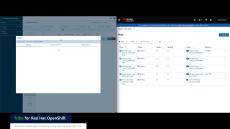
Use the Trilio UI to Restore your OpenShift Virtualization Virtual Machines. In this video we will show you how to restore a previously backed up virtual machine running in OpenShift using Trilio As we are restoring a virtual machine to the same cluster that we backed up earlier, we can use the Trilio User Interface to simply list the deployed virtual machines, and see that the status of the last backup is marked as Available for this virtual machine.
|
By Trilio
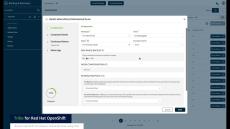
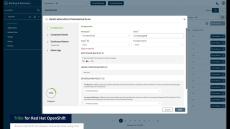
Use the Trilio UI to Backup your OpenShift Virtualization Virtual Machines. In this video we will show you how to backup individual virtual machines from OpenShift using Trilio. First we are going to log in to the Trilio User Interface using our OpenShift credentials. Trilio has a Backup Wizard that allows you to select your individual VMs that you have access to in your cluster. We’ll select this Virtual Machine and click Next.
|
By Trilio
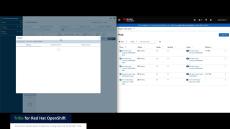
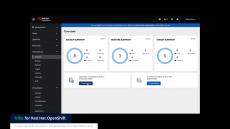
(With Audio) See how easy it is to protect a newly deployed application into OpenShift using Red Hat Ansible Automation Platform, followed by an ACM Policy written for Trilio that will auto protect the deployed application (create a backup, according to the policy) In this video we will show you an example of using Red Hat Advanced Cluster Management (or ACM) and Trilio to automatically back up an application that has just been deployed.
|
By Trilio
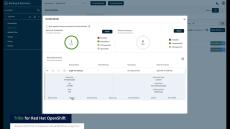
Use the Trilio UI to Backup your OpenShift Virtualization Virtual Machines. This video has no sound.
|
By Trilio
Use the Trilio UI to Restore your OpenShift Virtualization Virtual Machines. This video has no sound.
|
By Trilio
See how easy it is to protect a newly deployed application into OpenShift using Red Hat Ansible Automation Platform, followed by an ACM Policy written for Trilio that will auto protect the deployed application (create a backup, according to the policy)
|
By Trilio
Backup your OpenShift Virtualization VMs directly from the OpenShift Console using Trilio.
|
By Trilio
Restore your OpenShift Virtualization Virtual Machines using Trilio integrated into the OpenShift Console.

|
By Trilio
The Broadcom acquisition of VMware has triggered a strategic shift for cloud deployments. Organizations are increasingly concerned about vendor lock-in and potential cost increases, prompting them to explore alternative solutions. This report analyzes the opportunity for migrating workloads from VMware to OpenStack, outlining key decision points and best practices for a successful transition.
- October 2026 (1)
- September 2026 (4)
- August 2026 (1)
- July 2026 (1)
- June 2026 (6)
- May 2026 (6)
- April 2026 (8)
- March 2026 (3)
- February 2026 (4)
- January 2026 (5)
- December 2025 (6)
- November 2025 (5)
- October 2025 (3)
- September 2025 (4)
- August 2025 (3)
- July 2025 (4)
- June 2025 (2)
- May 2025 (3)
- April 2025 (1)
- March 2025 (4)
- February 2025 (2)
- January 2025 (5)
- December 2024 (2)
- November 2024 (2)
- October 2024 (4)
- September 2024 (2)
- August 2024 (2)
- July 2024 (5)
- June 2024 (2)
- May 2024 (3)
- April 2024 (7)
- March 2024 (4)
- February 2024 (2)
- October 2023 (5)
- September 2023 (3)
- March 2023 (3)
- February 2023 (4)
- January 2023 (1)
Purpose built for the cloud-native era, Trilio protects the most demanding environments to maximize stability across all tenants.
Cloud-Native by Design:
- Intelligent Recovery for Kubernetes Apps: Intelligent, enterprise-grade cloud-native protection for Red Hat, Canonical, Mirantis, Vmware, Nutanix, EKS, AKS, GKE, Suse, and other CNCF-compliant Kubernetes distributions.
- Intelligent Recovery for OpenStack: Restore entire workloads with a single click and get complete visibility into OpenStack operations in a single view with the only backup and recovery solution built for TripleO, Red Hat OSP, Mirantis OpenStack, Canonical, Ansible, Kolla, Rackspace OpenStack.
- Red Hat® OpenShift®: A unified platform to build, modernize, and deploy applications at scale. Work smarter and faster with a complete set of services for bringing apps to market on your choice of infrastructure.
Kubernetes, KubeVirt and OpenStack Multi-Cluster Data Protection and Intelligent Recovery