Security | Threat Detection | Cyberattacks | DevSecOps | Compliance

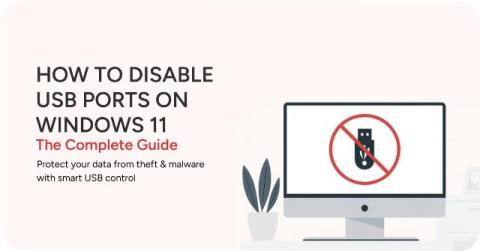
How to Disable USB Ports on Windows 11: The Complete Guide (2025)

Unsecured USB ports on Windows devices pose significant security risks, from data theft to malware injection, making robust control essential for data loss prevention (DLP) and regulatory compliance. Basic methods exist within Windows 10/11 itself, such as using Device Manager, Registry Editor, or Group Policy Editor. These built-in options often lack centralized management, specific device whitelisting, and temporary access features necessary for comprehensive enterprise-level security.

What is Data Loss Prevention (DLP) & Why It Matters for Your Business

Back to Table of Contents Data Loss Prevention (DLP) plays a crucial role in protecting information such as personal, financial, and confidential business data from accidental exposure, malicious attacks, or insider threats. As businesses increasingly rely on cloud services and remote workforces, implementing effective DLP is essential to safeguard sensitive data, comply with regulatory requirements, and reduce financial and reputational risks.

Why AI Usage Monitoring Is Now Mission-Critical

Shadow AI refers to the use of unapproved AI tools in the workplace without IT’s knowledge or oversight. Cisco’s 2025 Data Privacy Benchmark Study found that 81% of organizations lack full visibility into which AI tools their employees are using (Cisco, 2025). If you’re not monitoring AI use, you’re not managing AI risk. And in 2025, ignorance is expensive.

AI Cybersecurity Risks in 2026: The Ultimate Guide to Data Protection

*According to Gartner, by 2026, over 80% of enterprises will have used generative AI APIs or deployed GenAI-enabled applications, up from less than 5% in 2023. This rapid adoption introduces a new and complex attack surface. The adoption of artificial intelligence is no longer an option, it’s an operational inevitability.

The Invisible Colleague: Understanding Shadow AI in the Workplace

The rise of AI tools like ChatGPT, Gemini, Midjourney, and Copilot is reshaping workplaces, with employees adopting these tools to boost productivity and innovation. However, this rapid adoption often occurs without IT oversight, creating Shadow AI - a growing challenge for businesses.

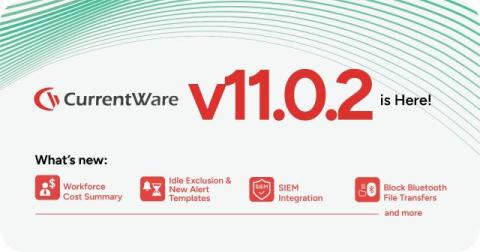
Cost Insights. Enhanced Alerts. Smarter Security. And More. Meet CurrentWare v11.0.1.

Modern workplaces need monitoring software that goes beyond activity reports - tools that optimize tech spend, strengthen security posture, and drive smarter outcomes. CurrentWare v11.0.1 is built to do exactly that. Whether you’re trying to cut costs, prove compliance, or prevent internal threats before they escalate, this update arms you with the tools to act faster and smarter. Ready to see how? Let's dive in. Unused software isn't just sitting idle; it's silently draining your budget.

The 7 Best Internet Filtering Software of 2025 (Tech Review)

Want to block distracting websites, monitor internet use, and keep your network secure against web-based threats? This list of the best internet filtering software covers website blocking solutions that are suitable for businesses, parental control, Mac users, and more.

CurrentWare's Security Software is Eligible for FCC's Cybersecurity Pilot Program

See how CurrentWare ensures student safety in our web filtering software for schools case study Safeguarding sensitive information is crucial for educational institutions and libraries. The FCC’s Schools and Libraries Cybersecurity Pilot Program aims to bolster the cybersecurity infrastructure of these institutions by providing essential funding for robust security solutions.

CMMC Compliance: What You Need to Know for CMMC 2.0

Cybersecurity Maturity Model Certification (CMMC) is a critical framework for protecting sensitive information within the defense industrial base (DIB). With the transition to CMMC 2.0, organizations that do business with the Department of Defense (DoD) must ensure they meet evolving cybersecurity standards.

How To Block EXE Files In Group Policy (& Other App Blocking Methods!)

In today’s digital landscape, safeguarding your organization’s network from unauthorized applications is paramount. One effective strategy is blocking executable (.exe) files using application blocking software or an Active Directory Group Policy. This tutorial will provide step-by-step guides that will teach you how to block executable files in Windows using various methods.