
5 Best Direct Mail APIs for Automated, Multi-Touch Campaigns

Image Source: depositphotos.com
Email has triggers, sequences, and dashboards. For years, direct mail had a spreadsheet and a print deadline. A good direct mail API closes that gap: your software decides who gets a mailpiece and when, and the provider prints, mails, and tracks it.
The catch is that "best" depends on the job. A product team embedding transactional notices needs something very different from a marketing team running three-touch campaigns across dozens of clients. I compared Postalytics, Lob, PostGrid, PCM Integrations, and Click2Mail on the factors that actually separate them.
Key Takeaways
- Postalytics is my top pick for automated, multi-touch campaigns, with Flows sequencing, multi-tenant API support, and matchback tracking. Its service agreement excludes personal health information.
- Lob suits engineering-led teams that want mail infrastructure inside their own product and are ready to build campaign logic themselves.
- PostGrid fits transactional and compliance-driven mail, backed by a long list of published security and privacy commitments.
- PCM Integrations works for teams that want per-piece pricing with no contracts or monthly fees, plus white-label storefronts.
- Click2Mail suits organizations digitizing traditional print jobs, with clearly documented HIPAA format rules.
How I tested
This is a documentation-led comparison based on each vendor's public product, developer, and security pages, not a live-send benchmark or an independent audit. I scored each platform on five factors.
Automation and triggering. Can mail fire from CRM events, workflows, or API calls, the same way an email would?
Multi-touch support. Can the platform run a sequence of mailings over time, or does every follow-up need custom code or a manual send?
Multi-tenant architecture and governance. Can separate teams, brands, or clients run independently with their own budgets, templates, and reporting?
Print, delivery, and tracking. Who handles production, and does tracking cover both delivery and response?
Security and data boundaries. I looked for SOC 2 Type II reports, HIPAA Business Associate Agreements, and rules on what data each platform permits. A mail vendor is a supplier like any other, so keep its third-party cyber risk under review instead of checking it once a year. A BAA covers the contract, but format rules still matter, because a postcard exposes whatever is printed on it.
What is a direct mail API?
A direct mail API lets software request a physical mailing the way it would send an email. Your system supplies the recipient and the content, and the provider prints, addresses, and mails the piece.
The real differences sit around that request. Some platforms add triggers, multi-step workflows, and response tracking, so mail behaves like a marketing channel built for the digital era. Others give you a reliable send endpoint and expect your application to handle timing, follow-ups, and attribution. Knowing which model you need narrows the shortlist fast.
1. Postalytics
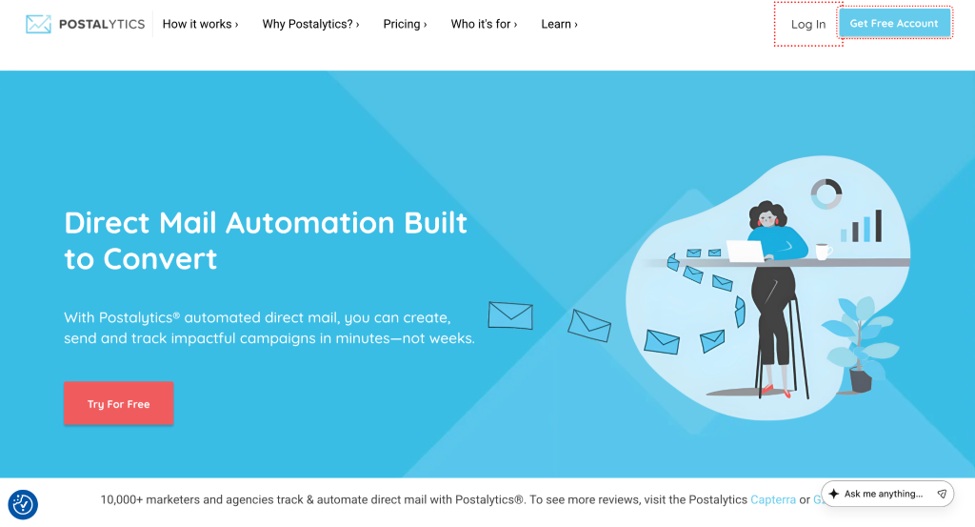
Best for: Multi-touch campaigns, agencies, and multi-tenant platforms
Built by the creators of the direct mail automation category, it makes direct mail as easy as email, with campaigns launched in minutes.
Postalytics pros
- Flows runs multi-touch sequences in a visual builder, triggered by time, events, or conditions.
- Native triggers from HubSpot, Salesforce, and other CRMs, plus webhooks and Canva and Figma integrations.
- An API and SDKs for headless use (embedding mail without the full interface) and multi-tenant setups.
- IMb delivery tracking with matchback attribution through pURLs and QR codes.
- Fast, variable-data SLA printing across a US and Canada production network.
Postalytics cons
- The Service Agreement excludes personal health information and other defined Sensitive Data.
- Flows and Salesforce require the Pro & Agency plan.
My experience with Postalytics
Flows covers sequencing, so a marketer can change a cadence without a code release, and MailBack turns anonymous website visitors into direct mail campaigns.
For a broadband provider's two-touch campaign, Connect, Flows, and the delivery dashboard work together: IMb shows delivery status, and a pURL or QR code ties each sign-up to its mailpiece.
The multi-tenant structure and white-label Agency Edition make Postalytics stand out for agencies and software platforms, giving each client separate budgets and templates. It suits healthcare marketing without personal health information, not patient-specific mail.
Postalytics pricing
Pricing is published: a free plan and two paid tiers, with printing, postage, and paper in every per-piece price. Rates fall with plan and volume, most sends have no minimum, and direct mail credits lock in costs.
2. Lob
Best for: Engineering-led teams embedding mail in their own product
Lob is a developer-first platform focused on programmatic mail execution, built for teams that want to own the surrounding workflow.
Lob pros
- Annual third-party SOC 2 Type 2 and HIPAA audits, plus annual penetration testing.
- Business Associate Agreements available for HIPAA mailings.
- SAML-based single sign-on with identity providers such as Okta and OneLogin.
- A REST API with address verification for checking recipients before sending.
- Dedicated HIPAA-compliant processes and facilities for qualifying healthcare mail.
Lob cons
- Multi-touch sequencing and multi-tenant setups largely require custom development.
- Less emphasis on marketing attribution than campaign-focused platforms.
My experience with Lob
I see Lob primarily as infrastructure. Its documentation and security posture give a technical reviewer plenty to work with, and its trust page is specific about audits, testing, and print-partner oversight, requiring subprocessors to match its own security bar.
The trade-off is ownership. A product team that wants full control over timing, suppression, and event handling will be comfortable building those pieces. A marketing team that changes cadences every month will feel each change routing through engineering.
For healthcare, Lob recommends letters for PHI and excludes postcards, self-mailers, and letter-affixed cards from HIPAA-compliant mailing. That clarity is useful, and a reminder that a BAA alone does not make every format appropriate for sensitive content.
Lob pricing
Lob combines plan-based pricing with per-piece charges. Compare recurring fees, mailing rates, and volume commitments using a current quote, and budget for the engineering time needed to build and maintain sequences.
3. PostGrid
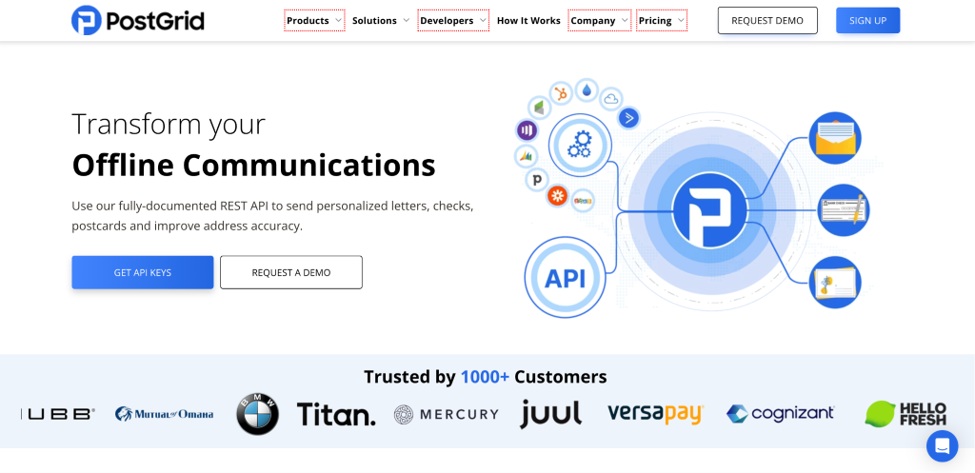
Best for: Transactional and compliance-driven mail
PostGrid specializes in high-volume operational mail, such as statements, invoices, and regulatory notices.
PostGrid pros
- Lists HIPAA, SOC 2 Type 2, GDPR, PIPEDA, and PCI DSS compliance.
- A SOC 2 Type II report covering its Print & Mail and Address Verification products, shared under NDA.
- A free sandbox with test API keys before switching to live mode.
- Native SDKs and detailed REST API documentation.
- International mail support, plus HubSpot and Marketo integrations.
PostGrid cons
- Minimal campaign orchestration for multi-touch marketing.
- Basic reporting and attribution compared with marketing-focused tools.
My experience with PostGrid
PostGrid's real strength is documents. If an application generates statements or notices on a schedule, the API maps neatly onto that job, and the sandbox makes it easy to test the full flow before anything prints. Certified and registered mail options help when proof of delivery matters.
Its compliance list is long, and requiring an NDA for the SOC 2 report is normal practice. I would request the report early, so procurement is not left waiting at the end. Its HIPAA page also describes digitizing or forwarding undeliverable return mail to keep records current.
For marketing, it feels more utilitarian. Follow-up sequences and response attribution are things you would build around it rather than configure inside it.
PostGrid pricing
PostGrid lets teams mail letters without monthly commitments, with costs driven by format, page count, and mail class. Request a quote for a representative document at your expected volume, with printing, postage, and extra sheets shown separately.
4. PCM Integrations
Best for: Contract-free, per-piece mailing and white-label storefronts
PCM Integrations triggers direct mail from CRMs or other software, offering an API, private-label storefronts, and CRM integrations.
PCM Integrations pros
- A flexible API for adding direct mail to any software product.
- No contracts or monthly fees, with per-piece pricing.
- Native Salesforce and HighLevel integrations, plus a no-code Zapier connection.
- White-label storefronts where franchise or group users design mail and buy lists, with commission tracking.
- In-house printing at its own facility in Clearwater, Florida.
PCM Integrations cons
- Public security documentation, such as SOC 2 or BAA details, was not established in this comparison.
- Production runs from a single facility rather than a distributed network.
My experience with PCM Integrations
The no-contract model makes PCM Integrations easy to trial. A team can connect an existing CRM, send a small test, and pay only for what goes out.
The white-label storefront is the unusual piece. Franchise systems and agencies can give local users a branded place to design mail and buy lists, which is a different route to multi-location programs than a multi-tenant API. The group running the storefront also earns a commission on orders.
Because I could not confirm public security documentation, I would ask directly for SOC 2 evidence, BAA terms, and data-retention practices before sending customer data through it.
PCM Integrations pricing
Pricing is per piece, with no contracts or monthly fees. Confirm current rates for your formats, mail class, and volume, and check whether list purchases or storefront commissions affect the total.
5. Click2Mail
Best for: Modernizing traditional print and mail workflows
Operating since 2003, Click2Mail offers API access to a broad catalog of print and mail products, from letters and postcards to certified mail and EDDM.
Click2Mail pros
- A SOC 2 Type II attestation, independently audited for Security and Confidentiality.
- BAAs for HIPAA mailings, with documented scope exclusions such as postcards.
- IMb on mailpieces, with tracing through USPS Informed Visibility.
- Logging of system activity, including document access.
- REST, REST Batch XML, and SOAP APIs, with a staging environment for testing.
Click2Mail cons
- Limited automation and multi-touch sequencing.
- No native multi-tenant governance, and minimal analytics.
My experience with Click2Mail
Click2Mail is built for breadth. If the job is a certified letter, an EDDM drop, a Priority Mail piece, or a multi-page document, the catalog probably covers it.
Its HIPAA scope rules are explicit about formats, which is exactly the clarity a healthcare buyer needs. The activity logging helps when a compliance team has to reconstruct who accessed what, and its security page states that customer data stays in the US.
For campaign marketing, it is closer to a print operation with an API than a campaign platform. Sequencing and attribution would sit in your own systems, though Zapier offers a no-code path for simpler automations.
Click2Mail pricing
Costs depend on format, page count, and postage class. Price a representative job before comparing totals, rather than assuming a headline postcard rate applies to an enclosed, multi-page mailing. Test a sample job in the staging environment before committing volume.
Conclusion
The best direct mail API depends on the job. Postalytics is my top pick for automated, multi-touch campaigns and multi-tenant programs, as long as the content stays clear of personal health information and other defined Sensitive Data.
Lob suits engineering-owned workflows, and PostGrid fits transactional documents. PCM Integrations offers contract-free, per-piece pricing with white-label storefronts, while Click2Mail covers traditional print jobs with clear HIPAA format rules.
Whichever you shortlist, run a pilot with test data, include a failed request and a canceled send, and confirm security documentation before any customer records go live.