
CCTV in Medical Practices and Clinics: A Practical Privacy Guide for Front Desk and Administrative Staff
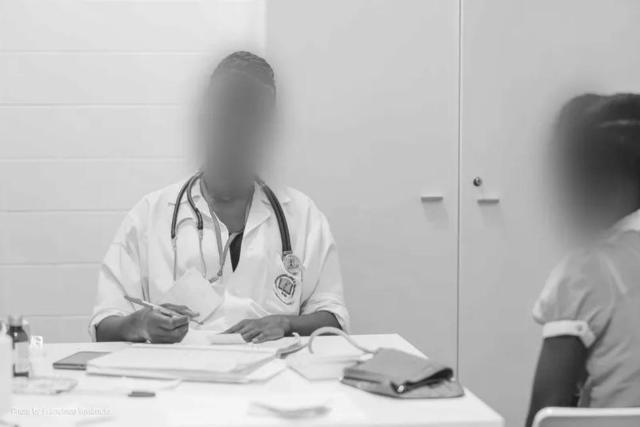
Security cameras in a medical office are often installed for sensible reasons: preventing theft, documenting disruptive incidents, supporting staff safety, and helping administrators understand what happened when a patient, visitor, or employee reports a concern. The challenge is that a clinic is not a typical retail lobby. A camera can capture a patient checking in, a parent discussing a child’s appointment, a person entering a specialty practice, or a workstation where appointment details may be visible. For front desk and administrative teams, the practical question is not simply “Can we have CCTV?” It is “How do we use cameras without collecting more visual information than we need?”
For U.S. medical practices, the safest operational approach is to design CCTV around data minimization from the start. That means placing cameras only where there is a defined need, narrowing the field of view, setting a short and consistent retention period, controlling who can access recordings, and redacting unnecessary identifiers before footage is shared outside the normal incident-review process. This article focuses on those day-to-day decisions: camera placement, retention, patient requests, face blurring, license plate blurring, and how reception staff can follow a repeatable workflow. It is not a substitute for legal advice; HIPAA, state privacy laws, employment rules, biometric privacy laws, and audio-recording or wiretapping laws may affect a particular deployment.
Why CCTV in a Clinic Requires More Care Than Ordinary Office Monitoring
In a medical setting, the context of the image matters. A person’s face in a waiting room is not just a face in a public place; it may also show that the person visited a particular type of healthcare provider. A camera near a behavioral health suite, fertility clinic, oncology office, or urgent care entrance may reveal information by location alone. Even when the recording has no audio, the scene can contain sensitive clues, including appointment patterns, mobility aids, documents, badges, screens, or family relationships.
This is why a clinic should treat CCTV as a controlled administrative system, not as general-purpose video. The main goal should be narrow: support safety and security while avoiding unnecessary collection. If the camera is intended to record the front entrance, it should not also capture the full waiting room unless there is a clear reason. If the camera is intended to monitor the cash drawer area, it should not record patient paperwork on the counter. If the camera is intended to document after-hours access, it should not record clinical conversations or exam room activity.
Start With Purpose Before Choosing Camera Locations
Before installing or repositioning cameras, administrators should define the purpose for each camera. This step is simple, but it prevents many privacy problems later. A useful internal question is: “What incident would this camera help us investigate?” If the answer is vague, the camera may be unnecessary or too broadly positioned.
Common legitimate purposes in a clinic may include:
- Monitoring entrances and exits for building security.
- Protecting reception staff in areas where confrontations may occur.
- Documenting access to restricted administrative areas.
- Supporting investigations after theft, vandalism, or a safety incident.
- Monitoring parking lot or drop-off areas where incidents involving vehicles may occur.
Purposes that should raise concerns include recording routine clinical interactions, monitoring employee productivity through constant video review, capturing patient conversations, or recording areas where patients reasonably expect a high level of privacy. Cameras should not be placed in exam rooms, restrooms, changing areas, or other spaces where monitoring would be highly intrusive, except in extraordinary circumstances after specific legal and compliance review, if at all.
Camera Placement: Practical Rules for Reducing Over-Collection
Camera placement is one of the most important privacy controls because it determines what the clinic collects every day. Once unnecessary footage exists, the organization must store it, secure it, manage access to it, and potentially redact it. The better approach is to avoid collecting it in the first place.
Waiting rooms
Waiting rooms can be difficult because one camera may capture many people at once. If a camera is needed, aim it toward the entrance, exit path, or general security zone rather than directly at seated patients. Avoid close-up angles that capture faces continuously when a wider situational view would be enough. If the office has separate waiting areas for specific services, consider whether a camera angle could reveal the nature of a person’s visit. In those locations, narrower coverage is usually better.
Reception desks
Reception cameras often create the highest operational risk. A poorly aimed camera may record patient forms, insurance cards, payment terminals, staff monitors, name badges, phone screens, or written notes. Position cameras so they cover the public-facing area and staff safety concerns without capturing the contents of desks or screens. If a monitor is visible in the frame, reposition the camera, use a privacy filter, adjust the workstation layout, or mask the area within the camera system if that option is available.
Hallways and consulting room entrances
Cameras in corridors should be limited to general movement and safety. Avoid angles that focus on exam room doors in a way that creates a detailed record of who entered which room and when, unless there is a specific security reason. A camera that captures the main hallway may be less intrusive than one pointed directly at a specialty room entrance.
Parking lots and drop-off zones
Outdoor cameras may capture faces, vehicle details, and license plates. For safety and incident investigation, parking lot cameras can be useful, but they should not be wider than necessary. Aim for entrances, exits, ramps, and drop-off areas rather than unrelated neighboring properties or public sidewalks. If footage from these areas is shared, license plates should be reviewed carefully and blurred when they are not needed for the purpose of disclosure.
Field of View: The Small Adjustment That Prevents Large Privacy Problems
A clinic does not always need fewer cameras; sometimes it needs better-framed cameras. Field of view should be reviewed after installation and periodically afterward, especially when furniture, signage, check-in kiosks, or workstations move.
Administrative staff can use a practical field-of-view checklist:
- Does the camera capture only the area needed for the stated security purpose?
- Are patient forms, clipboards, screens, or payment devices visible?
- Does the angle record seated patients for long periods?
- Can the same security purpose be met with a wider, less detailed view?
- Does the frame include doors to exam rooms or specialty departments unnecessarily?
- Does an outdoor camera capture neighboring businesses, sidewalks, homes, or unrelated vehicles?
This review should be documented in plain language. A short note such as “Camera 2 adjusted to exclude reception monitor and patient sign-in area” can be useful later if questions arise.
Retention: Keep CCTV Footage Only as Long as Needed
Retention is another core part of data minimization. Long retention periods increase risk because the clinic stores more footage of more patients, visitors, and employees. A medical practice should set a defined retention period based on its operational needs, insurance expectations, technical capacity, and legal advice. Many clinics choose a short rolling period unless footage is needed for a specific incident, complaint, law enforcement request, litigation hold, or claim.
Whatever period the practice selects, front desk and administrative staff should know the basics:
- How long routine footage remains available.
- Who can preserve footage after an incident.
- How to prevent relevant footage from being overwritten.
- Where preserved clips are stored.
- Who approves disclosure outside the organization.
- How and when incident clips are deleted when no longer needed.
The key is consistency. Staff should not make retention decisions casually, and footage should not be saved indefinitely “just in case.” A short, written policy helps ensure that recordings are retained for a defined purpose rather than becoming a permanent archive of patient visits.
Patient Requests for Security Camera Footage
Front desk staff may receive requests such as “I fell in the lobby and want the video,” “My property went missing,” or “I want to see what happened at check-in.” These requests should not be handled informally at the counter. A patient-facing employee can acknowledge the request, gather details, and route it to the person responsible for privacy, compliance, risk management, or administration.
A practical intake process should capture:
- The requester’s name and contact information.
- The date, approximate time, and location of the incident.
- The reason for the request.
- Whether the requester is asking to view footage or receive a copy.
- Whether other patients, visitors, staff, or license plates may appear in the recording.
- Whether the footage may be overwritten soon under the normal retention period.
The clinic should avoid handing over raw footage without review. A recording from reception or a waiting area may show many people who have nothing to do with the incident. In some cases, supervised viewing may be appropriate. In others, the clinic may provide a redacted copy. Depending on whether the footage is subject to HIPAA, state access rules, a litigation hold, or another legal obligation, timelines and responses may differ. The correct response depends on the facts, the applicable policy, and the advice of the organization’s privacy or legal team.
Redaction Before Sharing: Faces, License Plates, and Other Identifiers
When footage leaves a small internal review group, the clinic should consider whether identifiers need to be obscured. Face blurring is often the most important step because faces make patients, visitors, and staff recognizable. License plate blurring can also be relevant for exterior cameras, especially where the footage connects a vehicle to a healthcare visit.
However, redaction is not limited to faces and plates. A clinic video may also show documents, prescription bags, employee badges, appointment screens, wall calendars, kiosk displays, or distinctive clothing. These details may require manual review. Automated tools can reduce workload, but staff still need to check the final video before disclosure.
For clinics that routinely prepare redacted video clips, on-premises visual redaction or anonymization software can be helpful. Gallio PRO is used to process visual data locally, which can be relevant for practices that do not want to send recordings to an external cloud service for processing. Its automation should be understood precisely: Gallio PRO automatically blurs only faces and license plates. It does not automatically blur full bodies, documents, name badges, tattoos, logos, or monitor content. Those other elements require manual handling in the editor if they appear in the frame.
Another important point for healthcare workflows is that, according to the vendor, the system does not store logs containing detection data or personal data. That reduces the amount of secondary information created during the anonymization process, although the clinic still remains responsible for its own policies, access controls, retention decisions, and review process.
Signage and Patient Notice: Keep It Plain and Useful
Signs should do more than display a camera icon. Patients and visitors should be able to understand that cameras are used, why they are used, and where they can find more information. In a U.S. clinic, signage is usually most useful at the entrance, near reception, and in any monitored parking or drop-off area. Specific notice requirements can vary by state or local law, and audio recording should not be enabled without separate legal review.
A practical notice should be short and understandable. It may identify that video monitoring is used for safety and security, direct questions to the front desk or office manager, and point to the practice’s privacy or security policy if applicable. Staff should know what to say if a patient asks, “Are you recording me?” The answer should be factual, calm, and consistent with the clinic’s policy.
Notice does not fix excessive collection. If a camera captures a workstation screen or records patients at close range for no clear reason, a sign will not solve the underlying issue. Signage and minimization must work together.
Access Controls: Who Should Be Able to View Clinic CCTV?
One common mistake is giving too many employees access to live feeds or archived recordings. CCTV access should be limited to staff members with a defined role, such as an office manager, security lead, administrator, or designated privacy contact. Reception staff may need to know how to report an incident and preserve relevant details, but that does not always mean they need direct access to every recording.
Good access controls include:
- Named users rather than shared passwords.
- Limited permissions based on role.
- Internal approval before exporting clips.
- Secure storage for exported footage.
- A written record of disclosures outside the practice.
- Periodic review of who still needs access.
These controls support accountability and help prevent casual viewing, unnecessary downloads, or improper sharing.
A Standard Operating Procedure for Front Desk Teams
Front desk employees do not need to become video privacy experts, but they do need clear instructions. A strong CCTV procedure should be short enough to use during a busy day and specific enough to prevent improvisation.
A clinic’s internal procedure can follow this sequence:
- Identify the incident: record the date, time, location, and people involved.
- Notify the responsible manager before footage is overwritten.
- Confirm whether the relevant camera angle exists and whether footage is still retained.
- Limit review to the portion needed for the incident.
- Do not export or send raw video without approval.
- Before disclosure, review the clip for third-party faces, license plates, screens, documents, badges, and other identifiers.
- Blur or mask unnecessary identifiers, using automated face and license plate blurring where appropriate and manual editing where needed.
- Document what was shared, with whom, when, and why.
- Delete preserved copies when they are no longer required under the clinic’s policy and no legal hold or other preservation duty applies.
This workflow helps staff respond consistently to incidents without collecting, retaining, or disclosing more visual information than necessary.
Common CCTV Mistakes in Medical Offices
Many CCTV problems in clinics come from small operational choices. The most common mistakes include placing cameras too close to patients, aiming reception cameras at screens, keeping footage for too long, allowing too many staff members to view recordings, failing to document patient requests, and sharing raw clips without redaction. Another frequent issue is assuming that automated redaction catches everything. In practice, automation may handle faces and license plates, while other visual identifiers still require a person to review the footage.
Medical practices should also avoid using security footage for unrelated purposes unless the use has been reviewed and approved. A system installed for safety should not quietly become a general employee monitoring tool or a source of promotional images. Each new use increases risk and should be assessed separately.
FAQ: CCTV in Medical Practices
Can a U.S. medical clinic use CCTV in the waiting room?
Often yes, but the camera should have a defined safety or security purpose and should be positioned to avoid unnecessary close-up monitoring of patients. The clinic should use clear signage and limit access to recordings.
Should reception desk cameras capture computer monitors?
No, not if it can be avoided. Camera angles should be adjusted to exclude screens, documents, payment devices, and sign-in materials. If these items appear in a clip that must be shared, they should be manually masked or otherwise redacted.
How long should a clinic keep CCTV recordings?
The retention period should be defined in policy and limited to the clinic’s operational needs. Routine footage should not be kept indefinitely. Clips related to incidents may need to be preserved separately while the matter is reviewed, or while a legal hold or other preservation duty applies.
Do patient faces need to be blurred before sharing footage?
If footage is disclosed outside the internal review process and includes people unrelated to the request or incident, face blurring is usually a prudent minimization step. Staff should follow the clinic’s policy and escalate requests to the appropriate manager.
Does Gallio PRO blur everything visible in a clinic video?
No. Gallio PRO automatically blurs only faces and license plates. Other identifiers, such as documents, badges, tattoos, logos, and monitor content, require manual review and editing if they need to be obscured.
Does Gallio PRO store logs with detection data or personal data?
According to the vendor, no. The system does not store logs containing detection data or personal data, which helps reduce extra data created during the anonymization workflow.
For medical practices, the strongest CCTV program is not the one that records the most. It is the one that records only what is needed, keeps it only as long as necessary, restricts access, and redacts footage before broader disclosure. That approach supports security while respecting the sensitive nature of healthcare environments.