Security | Threat Detection | Cyberattacks | DevSecOps | Compliance

7 Best Practices for Privileged User Monitoring

With great power comes great responsibility — and in the cybersecurity world, immense risk. Your privileged users hold the keys to your organization’s digital kingdom. They have the elevated permissions to keep your infrastructure running, but this means a single compromised account or insider mistake can result in a catastrophic data breach. That’s where privileged user monitoring becomes non-negotiable.
DLP Monitoring: What is It and How Do You Implement It?

It only takes one accidental file share, one rogue USB drive, or one compromised account to turn your company’s sensitive data into a costly headline. That’s where DLP monitoring steps in. Think of it as a smart, real-time safety net that tracks, detects, and blocks unauthorized data transfers before the damage is done. But what does effective monitoring look like in practice, and how do you deploy it without bottlenecking your team’s daily workflow?

Why Short Correlation Windows Miss Insider Risk

Short correlation windows miss insider risk because misuse develops gradually, often over longer periods than detection models track. Short correlation windows miss insider risk because misuse often spans longer periods than detection models track. When context resets at fixed intervals, small behavioral changes fail to accumulate into visible risk. When context resets at fixed intervals, behavior is evaluated in disconnected segments.

Confidential Files Move Quietly: Stop Leaks Before the Headlines

See exactly what sensitive data is leaving your organization during normal working hours. Your employees are sharing more than you think. Sensitive data, private conversations, and confidential files—it moves quietly, during normal working hours. Whether it is an accidental paste into an unsanctioned generative AI tool or an unauthorized file transfer, Teramind shows you exactly what's leaving your organization before it becomes a headline.

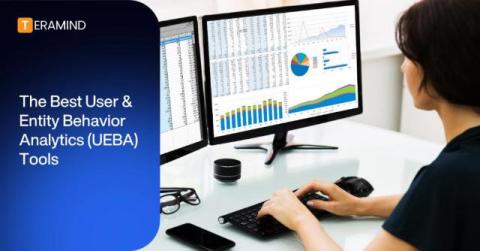
The 10 Best User & Entity Behavior Analytics (UEBA) Tools

User and entity behavior analytics (UEBA) tools are essential cybersecurity solutions, helping organizations to detect anomalous activities and hidden threats. In this article, we explore the top 10 UEBA tools on the market today. You’ll learn about their key features, use cases, pricing, and customer experiences.

Why Insider Threats Don't Trigger Alerts

Insider threats often don’t trigger alerts because the activity relies on valid credentials, approved tools, and authorized workflows. When viewed as individual events, this behavior looks normal and stays below traditional rule thresholds. Risk accumulates across otherwise valid actions without producing a signal that meets alert thresholds.

AI Data Exfiltration: Types, Risks, Prevention Strategies

Generative AI has revolutionized productivity — but it has also introduced a massive, often invisible new vulnerability: AI data exfiltration. Whether it’s a well-meaning engineer pasting source code into an LLM for debugging, or a marketer feeding sensitive customer data into a prompt for analysis, your organization’s most valuable intellectual property is likely walking out the virtual front door.

How to Detect and Prevent AI Insider Threats

The rapid adoption of generative AI has transformed enterprise productivity, but it’s also quietly introduced a new, sophisticated vulnerability: the AI insider threat. For years, securing the internal perimeter meant watching for data exfiltration via USB sticks or unauthorized emails. Today, the risk looks entirely different.

How DSPM Detects Insider Threats Using Data Lineage

Most insider risk programs stall at the same place: they can see what data exists, but not what users are doing with it. Data security posture management (DSPM) tools catalog sensitive files, flag misconfigured permissions, and surface overexposed repositories. What they often cannot communicate is whether that overexposed file was accessed, copied, renamed, and uploaded to a personal cloud account by an employee who put in their resignation last week.

How to Prevent AI Data Leakage

Artificial intelligence tools have completely revolutionized the way we work, boosting productivity to heights we couldn’t have imagined just a few years ago. But the upside comes with a high-stakes catch: every time an employee pastes proprietary code, financial records, or sensitive customer data into a public AI prompt, your company is at risk. As Shadow AI adoption skyrockets, implementing robust data leakage prevention is no longer an IT checklist item — it’s a business imperative.

What is AI Policy Enforcement and How Do You Implement It?

Here’s the reality that most security teams are already living: Over 80% of employees are using unapproved AI tools at work, and nearly half are actively hiding them from IT. The question facing every organization is no longer whether to adopt artificial intelligence — it’s how to secure the sensitive data flowing into it every single day. This is the governance gap.

The North Korean IT worker scam: Defending against the modern insider threat

The threat is coming from inside the organization. It is coming from a laptop farm three states over, routed through a proxy, and operated by a threat actor sitting on the other side of the globe. We are witnessing a massive shift in how adversaries breach organizations. They no longer need to spend weeks probing your external firewalls or crafting the perfect zero-day exploit. Instead, they simply update their resumes, pass your interview process, and your IT department ships them a corporate device.

What Are the Risks of Using AI in the Workplace?

Bringing artificial intelligence into the office is a bit like adopting a hyper-energetic, brilliant, but chaotic intern. It can supercharge productivity, but if left unsupervised, it can accidentally delete the company database or invite a lawsuit. While the benefits of workplace AI are heavily advertised, deploying it without a safety net introduces significant vulnerabilities. Here’s a comprehensive breakdown of the risks businesses face when integrating AI into their daily operations.

9 AI Usage Control Tools for Monitoring AI in the Workplace

AI adoption in business has moved at a staggering pace. According to a major survey from The Conversation, 58% of global employees are intentionally using AI at work. That same study revealed an alarming trend: 66% of global employees have used unapproved AI tools, while only 34% say their company has put in place rules to govern AI usage. This use — and potential misuse — of AI systems is the latest and most complex threat facing businesses today.