Security | Threat Detection | Cyberattacks | DevSecOps | Compliance

Real-Time Data Replication: 5 Best Practices for Efficient Implementation

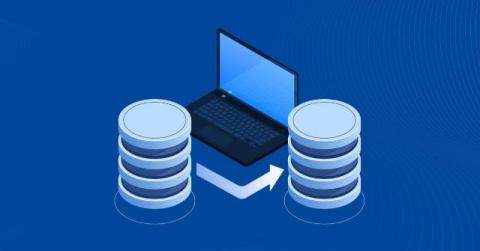
Data replication is primarily used when service and data availability requirements are high. There are two types of replication – real-time replication or continuous replication and traditional replication, also called periodical or snapshot replication. Real-time replication has more advantages than traditional replication but consumes more resources. For this reason, it is better to follow data replication best practices to implement real-time VM replication for disaster recovery.

Critical Security Risks in vSphere Active Directory Integration

Microsoft Active Directory is widely used for authentication, and many software solutions can integrate with it to rely on a single authentication system. VMware vSphere components, including vCenter Server and ESXi hosts, also support Active Directory integration, which simplifies account and access management. However, this convenience introduces specific security risks that administrators need to understand and mitigate.

RAID vs JBOD: Best Storage Option for Hypervisor Backups

When configuring storage on local servers or Network Attached Storage (NAS) devices, RAID and JBOD are the two common options. Both involve combining multiple drives into a single volume, but they differ significantly in how data is distributed, protected and accessed. Choosing the wrong configuration can lead to performance degradation or data loss. This post covers the differences between JBOD and RAID and identifies the optimal storage types for backups and VM datastores.

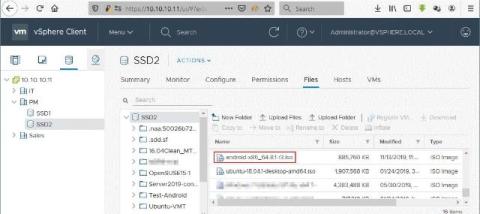
Installing Android on VMware ESXi: A How-To Guide

Android is a very popular and prolific operating system on mobile devices such as smartphones and tablets. Most of the time, there is no practical reason to install Android on a physical computer, but there may be some cases when you need to run Android on a virtual machine (VM), for example, when developing applications for Android and testing them. Fortunately, you can install Android on VMware Workstation, VMware Player, VMware ESXi, and VirtualBox.

VMware ESXi Networking Concepts

For connecting physical servers and computers to a network, you need physical network adapters, switches, and routers. With virtual machines, virtual network concepts are used for communication between the different components of an infrastructure. The proper configuration of ESXi networking on a host is critically important to the configuration of any ESXi environment. Generally, ESXi host networks include storage, vMotion, VM, and management networks.

How to Set Up VMware ESXi Lab - A Complete Guide

VMware is one of the best virtualization platforms in the world, popular among IT specialists for its ability to provide high-speed operations, reliability, scalability, security, and convenience. VMware ESXi Server is a type 1 hypervisor designed to be installed directly on physical servers, that is, it is a bare metal hypervisor. VMware type 2 hypervisors (VMware Player, Workstation, and Fusion), on the other hand, can be installed on existing operating systems running on desktops and laptops.

VMware Workstation Pro vs VMware Workstation Player: A Complete Comparison Guide

As a virtualization market leader, VMware offers products for a wide range of users. Its enterprise-grade line includes VMware vSphere products like ESXi, which is a type 1 hypervisor. VMware also offers type 2 hypervisors like VMware Workstation Player (or VMware Player) and VMware Workstation Pro (or VMware Workstation). Type 2 hypervisors are installed on the underlying host OS running on the physical machine.

VMware vCenter Installation Guide and Best Practices

VMware vCenter is an important component of the VMware vSphere virtual infrastructure, allowing you to use advanced VMware features. The most common approach to installing vCenter is deploying vCenter Server Appliance (VCSA) as a virtual machine on an ESXi host. This blog post explains how to install VMware vCenter as a virtual appliance to get access to enterprise features in your vSphere environment.

How to Run Linux on Hyper-V?

Running Linux on Hyper-V allows you to combine the stability of Microsoft’s virtualization platform with the versatility of open-source operating systems. Whether you’re exploring Linux for education, testing or production environments, Hyper-V provides a reliable way to deploy and manage virtual machines efficiently. Among the many supported distributions, Ubuntu Linux stands out for its simplicity and broad compatibility.