Security | Threat Detection | Cyberattacks | DevSecOps | Compliance

How To Create a Secure Username

To create a secure username, you must ensure your username is random, does not use any of your personal information and is unique from your other usernames across all other websites. A secure username should contain a combination of random numbers and symbols, prioritizing safety and privacy by not revealing personal details.

Admin update: Create auto-lock, release channel, and 1Password browser extension rules

Every organization has its own team culture, processes, and security requirements. That’s why we’re continuously updating 1Password Enterprise Password Manager with new options that give you greater flexibility and granular control.

How To Know if Your Apple ID Is Hacked

Your Apple ID is valuable to hackers because, if compromised, someone could use it to access your sensitive accounts, important documents, private photos and more. Signs that your Apple ID may be hacked include receiving emails from Apple about a new login, being locked out of your Apple device or iCloud account, getting notifications of account changes or noticing unfamiliar charges from Apple on your bank statements.

What Is an IP Address?

An Internet Protocol (IP) address is a unique series of numbers that identifies your device on the internet or the network it’s connected to. IP is a set of rules that determines how data is formatted when sent through the internet or a local network. Therefore, an IP address allows information to be transmitted on a network and distinguishes between various devices on the internet. You will typically see an IP address as a set of four numbers ranging from 0 to 255, separated by periods.

Achieve Enhanced Risk Visibility With Keeper's Risk Management Dashboard

Keeper Security’s Risk Management Dashboard delivers a streamlined view within the Keeper Admin Console to quickly and easily give administrators visibility into their organization’s Keeper configuration practices and compliance posture. The Risk Management Dashboard leverages an outlined set of Keeper Security Benchmarks to keep organizations compliant and safe.

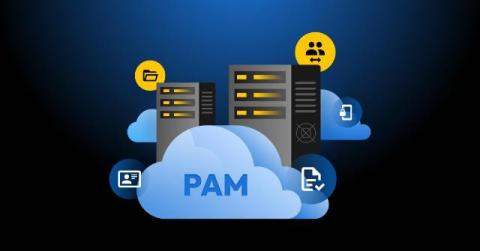
The Hidden Dangers of Legacy PAM: Why Your Security Solution May Actually Be a Risk

As a former federal CISO who has spent decades designing and securing enterprise infrastructure, I’ve grown increasingly concerned as organizations continue to rely on legacy Privileged Access Management (PAM) solutions designed for a different era. These systems, once the gold standard in security, have become dangerous liabilities in today’s modern cloud-native world.

Keeper Rolls Out Expanded iOS Security Key Support and Enhanced 2FA Settings

Keeper is excited to announce two significant updates to our iOS app: support for USB-C plug-in hardware security keys and a new Two-Factor Authentication (2FA) frequency setting. These updates reflect our commitment to providing industry-leading security solutions while ensuring a seamless user experience. Continue reading to learn more about these updates and how you can try them out yourself.