Security | Threat Detection | Cyberattacks | DevSecOps | Compliance

A Deep Dive Into ggshield, The GitGuarian CLI

In this in-depth walkthrough, we will show you how to turn ggshield, the GitGuardian CLI, into a practical guardrail for keeping secrets out of your code and CI pipelines. You’ll see exactly how to install and authenticate ggshield, then use it to scan repositories, local paths, archives, Docker images, PyPI packages, and CI environments for hardcoded credentials. We’ll also walk through configuring Git hooks with ggshield install.
A Complete Guide to Transport Layer Security (TLS) Authentication

Data security is non-negotiable. Transport Layer Security (TLS) authentication stands as the cornerstone for the protection of data in transit. When it comes to protecting enterprise APIs, systems, and identities, the importance of TLS auth cannot be overstated.

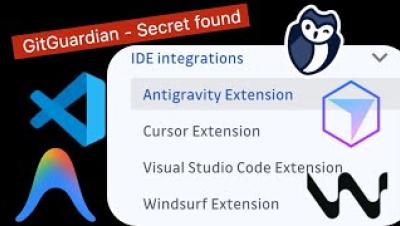
Introducing The GitGuardian IDE Extension for VS Code, Cursor, Antigravity, And Windsurf

Ship fewer secrets with your code. In this video we walk you through installing and using the GitGuardian IDE extension in Visual Studio Code, Cursor, Antigravity, Windsurf, and any VS Code compatible editor. You will see how the extension uses ggshield, the GitGuardian command line tool, to scan for 500+ types of secrets and catch plaintext credentials as soon as you save a file, long before they can be committed.