Security | Threat Detection | Cyberattacks | DevSecOps | Compliance

Convert Physical Linux to Hyper-V VM Using Backup | Step-by-Step P2V Guide

Learn how to convert a physical Linux machine to a Hyper-V virtual machine using a backup with NAKIVO Backup & Replication. In this step-by-step tutorial, you will see how to back up an Ubuntu Linux physical server and export the backup as a Hyper-V VHDX virtual disk, allowing you to quickly perform physical-to-virtual (P2V) migration and restore workloads to a virtual environment. This method is useful for.

How to Convert a Physical Linux Machine to VMware ESXi (P2V) - Two Proven Methods

Learn how to convert a physical Linux machine to a VMware ESXi virtual machine using two proven physical-to-virtual (P2V) migration methods. In this step-by-step tutorial, you will see how to migrate an Ubuntu 24.04 LTS physical server to VMware ESXi using: These methods allow you to safely migrate physical Linux systems to virtual infrastructure for modernization, disaster recovery, hardware replacement, or virtualization projects.

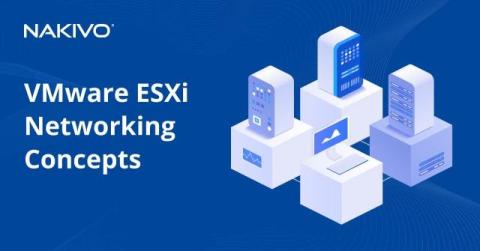
VMware ESXi Networking Concepts

For connecting physical servers and computers to a network, you need physical network adapters, switches, and routers. With virtual machines, virtual network concepts are used for communication between the different components of an infrastructure. The proper configuration of ESXi networking on a host is critically important to the configuration of any ESXi environment. Generally, ESXi host networks include storage, vMotion, VM, and management networks.

How to Set Up VMware ESXi Lab - A Complete Guide

VMware is one of the best virtualization platforms in the world, popular among IT specialists for its ability to provide high-speed operations, reliability, scalability, security, and convenience. VMware ESXi Server is a type 1 hypervisor designed to be installed directly on physical servers, that is, it is a bare metal hypervisor. VMware type 2 hypervisors (VMware Player, Workstation, and Fusion), on the other hand, can be installed on existing operating systems running on desktops and laptops.

VMware Workstation Pro vs VMware Workstation Player: A Complete Comparison Guide

As a virtualization market leader, VMware offers products for a wide range of users. Its enterprise-grade line includes VMware vSphere products like ESXi, which is a type 1 hypervisor. VMware also offers type 2 hypervisors like VMware Workstation Player (or VMware Player) and VMware Workstation Pro (or VMware Workstation). Type 2 hypervisors are installed on the underlying host OS running on the physical machine.

VMware vCenter Installation Guide and Best Practices

VMware vCenter is an important component of the VMware vSphere virtual infrastructure, allowing you to use advanced VMware features. The most common approach to installing vCenter is deploying vCenter Server Appliance (VCSA) as a virtual machine on an ESXi host. This blog post explains how to install VMware vCenter as a virtual appliance to get access to enterprise features in your vSphere environment.

How to Run Linux on Hyper-V?

Running Linux on Hyper-V allows you to combine the stability of Microsoft’s virtualization platform with the versatility of open-source operating systems. Whether you’re exploring Linux for education, testing or production environments, Hyper-V provides a reliable way to deploy and manage virtual machines efficiently. Among the many supported distributions, Ubuntu Linux stands out for its simplicity and broad compatibility.