Security | Threat Detection | Cyberattacks | DevSecOps | Compliance

Perfect Forward Secrecy Made Your Private Keys Boring

For twenty years, a stolen private key was a disaster. It meant total compromise. Every encrypted conversation, password transmitted, API call ever made was readable. Traffic was being recorded all the time, “just in case” your private key leaked out. The NSA even had a name for it: “harvest now, decrypt later.” Record all the encrypted traffic today. Steal the private keys tomorrow. Decrypt everything retroactively.

The 3 Biggest Cloud Workload Threats (and Why Teams Miss Them)

In this article, we’ll break down the three most prevalent runtime threat vectors behind most modern cloud breaches – and why traditional cloud security tools fail to detect them. Let’s get one thing clear: the cloud itself hasn’t become more dangerous – but cloud-native architectures fundamentally changed the threat landscape. In the datacenter era, most threats targeted hosts, networks, and endpoints.

Group Policy Guide for Baseline Hardening

Creating a safe and secure environment is a top priority for all types of organizations. To accomplish this goal, it is essential to adhere to group policy best practices, particularly in the realm of GPO security. By configuring fundamental Group Policy Settings correctly, organizations can significantly enhance their security posture. When Group Policies are utilized effectively, they play a crucial role in safeguarding users’ computers from various threats and potential breaches.

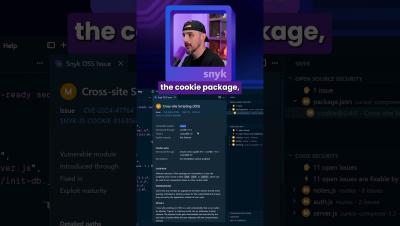
Google Gemini 3 Pro Builds an App with ONE PROMPT...

Google announced Gemini 3 Pro, which they tout as their most intelligent model yet that's best for complex tasks and bringing creative concepts to life. We're going to put this model to the test and see how good it is at fulfilling our prompt with a production ready app and the security of the code it produces.

A Deep Dive Into ggshield, The GitGuardian CLI

In this in-depth walkthrough, we will show you how to turn ggshield, the GitGuardian CLI, into a practical guardrail for keeping secrets out of your code and CI pipelines. You’ll see exactly how to install and authenticate ggshield, then use it to scan repositories, local paths, archives, Docker images, PyPI packages, and CI environments for hardcoded credentials. We’ll also walk through configuring Git hooks with ggshield install.

Why Granular Backup And Recovery Are Essential for your DevOps backup strategy

Every IT stack may look tidy on a diagram. If so, then it’s tempting to assume everything works fine. And yet, systems rarely fail as a whole. Usually, it’s a part or functionality. For instance, anyone who ever untangled a broken workflow in GitHub, GitLab, Bitbucket or Azure DevOps, or a corrupted field in Jira, knows it too well. And that’s the quiet tension (“to fix one little thing”) inside every modern backup strategy.

Hackers hijack Google Smart Home #aisecurity #mcpserver

Building AI agents that can think, act, and adapt securely isn't easy. From prompt design to deployment, every stage brings new challenges and new risks. In this session, Bar-El Tayouri, Head of Mend AI at Mend.io, and Yehoshua (Shuki) Cohen, VP of Data and AI Evangelist at AI21 Labs, shared practical strategies for designing and defending agentic systems that actually deliver. Key topics covered: Originally recorded: October 29, 2024.

Quick Start Guide for ggshield, the GitGuardian CLI

Get up and running with ggshield, the GitGuardian CLI, in just a few minutes by installing it, authenticating, and running your first secrets scan. This quick-start video shows you how to scan individual files and entire projects, then lock in protection with a pre-commit Git hook to keep secrets out of your commits.