Security | Threat Detection | Cyberattacks | DevSecOps | Compliance

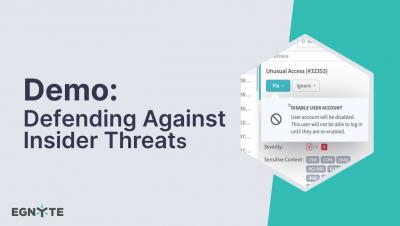
Defending Against Insider Threats with Egnyte

An insider threat is perhaps the most difficult threat to deal with for most organizations. It occurs when someone uses legitimate access to copy, expose, damage, or delete sensitive information. It can be accidental, such as when a sensitive file is placed in a folder accessible to all employees. Or, it can be intentional, such as when an employee preparing to resign copies sensitive files to take with them. It can even be malicious, such as when a disgruntled employee intentionally deletes critical files.
Top Findings and Insights from Egnyte's New Data Governance Trends Report

Learn about the latest research on cloud security, data governance, and how IT leaders are preparing for the future of digital work. The Egnyte Data Governance Trends Report is based on responses from 400 CIOs and CISOs regarding the state of their data governance programs and the threats that keep them up at night. We'll dissect some of the most surprising and revealing findings, and share real-world examples that underscore their implications for IT teams of all sizes.

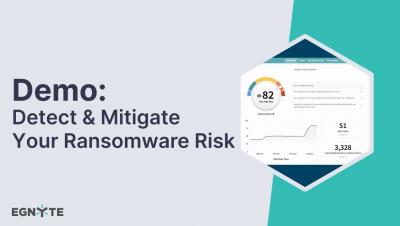
Detect & Mitigate Your Ransomware Risk with Egnyte

In this video, Egnyte’s Chief Governance Officer Jeff Sizemore & Senior Manager of Governance Marketing Neil Jones discuss recent trends in ransomware detection and how you can mitigate potential attacks. A brief demo is provided at the end, where you will learn how to recover from a ransomware attack. Ransomware attacks continue to proliferate. We want users to understand the current state of ransomware attacks and to be able to prepare for attacks and manage them more effectively.

Whitelist Sensitive Content Locations

Whitelist sensitive data locations so you are notified about what matters most. To keep content in your repository secure and compliant, Egnyte scans all of your folder locations for sensitive content. However, there are often folders where sensitive content is intentionally allowed to live. To whitelist sensitive content by location or policy, first select the Sensitive Content tab.

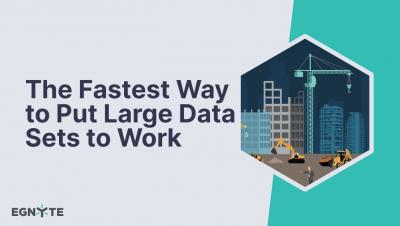
The Fastest Way to Put Large Data Sets to Work

The use by AEC firms of reality capture devices, like drones and 3D cameras, has exponentially increased the amount of data that they collect in the field but to unlock its value and be actionable it must go through a time and computing-intensive process that is easier said than done. Transferring that data to an office or the public cloud can take hours, days or weeks, significantly impacting project timelines.

Data Governance & File Collaboration | Product Announcements

Egnyte was an early pioneer in bringing secure collaboration to the cloud. We continue to innovate. Tune in to our latest product announcements and vision to learn about our new capabilities within our platform for data governance and file collaboration. Egnyte is #1 in cloud content governance. SaaS software trusted by 16,000+ content-critical businesses worldwide.

Exchange Online Classification

Watch this quick tip that shows admins how Egnyte classifies sensitive content found in Exchange Online email repositories. Egnyte enables you to securely share content, by using links. But, we know that email attachments are also a common method for your users to send and receive sensitive information. Ensure you have full visibility into where all of your sensitive content resides by adding Exchange Online as a content source for email classification.

Activating the GDPR Policy

In just a few clicks, Egnyte locates data that is subject to GDPR so you can take proper action to keep it secure and compliant. The EU and UK General Data Protection Regulations affect any businesses that store personal data, which belongs to a resident of the United Kingdom or European Union. In just a few clicks, Egnyte locates data that is subject to GDPR so you can take proper action to keep it secure and compliant.

Disable Permissions Inheritance

Simple, intuitive & secure collaboration in the cloud. See how you can easily ensure proper access control to folders in your domain with Egnyte’s granular permissions. When adding user permissions to folders, subfolders automatically inherit the permissions of their parent folder. However, you can disable this feature for specific folders to control exactly who has access. From the folder of your choice, select Share, then Manage Folder Permissions.