
Securing the Physical Edge: How to Plan CCTV for New York Buildings Without Creating a Network Risk
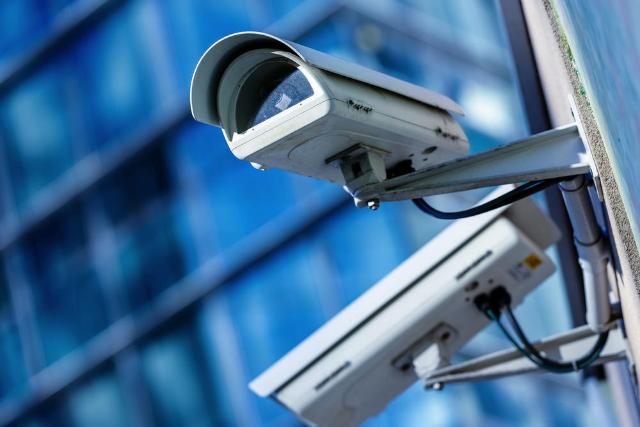
Image Source: depositphotos.com
TL;DR: A CCTV system is a set of networked computers that happen to point at doors. Plan the cable path, the network segment and the recording location before you choose camera models. Then assign someone to notice when a camera stops recording, because that failure is silent until the footage is needed.
What Is a Networked CCTV System?
A networked CCTV system is a group of IP cameras, a switch that powers and connects them, and a recorder that stores the video, all running on your network and all carrying the same risks as any other connected device. Security teams already patch servers and segment laptops. Cameras are usually the exception, because they arrive through facilities or a landlord and not through IT.
That gap is where problems start. A camera with a default login, an old firmware build and a route to the corporate LAN is an unmanaged endpoint with a lens on it.
Why the Physical Layer Deserves Your Attention
In New York, the buildings shape the project more than the cameras do. Pre-war masonry, shared risers, co-op and landlord approval, and lobbies with glass vestibules all decide what can be mounted where and how cable gets there. A security team that signs off on a camera list without seeing the building often finds the plan does not survive the first site walk.
The point most vendor guides skip is the order of operations. People pick cameras first, then discover the switch cannot supply enough power, the run is too long for the planned location, or the only path for cable goes through a space someone else controls. Reverse the order: survey the cable path, decide the network segment, then choose hardware that fits.
How a Sound Installation Works
Start with the cable path and the power budget
Power over Ethernet means each camera's power and data share one run. The switch has a total power budget, and adding a camera with infrared or a heater can push it past that budget. Check the budget against the full camera list, not the first phase.
For multi-unit buildings, cctv installation new york work starts with this cable path, not the camera model. Entrances, stairwells, package areas and rear doors are the usual priorities, and each one has its own constraints on mounting height, lighting and route.
Put cameras on their own segment
Place the cameras and recorder on a dedicated VLAN or physically separate switch, and allow only the traffic the system needs. The recorder should be the only thing that talks to the cameras. Remote viewing should go through a managed, authenticated path, never a port forwarded straight to a camera.
Change every default credential at install time, record who holds the admin accounts, and keep a firmware update on the maintenance calendar. If the installer cannot tell you where the cameras sit on the network, that is a finding.
Decide where footage lives
The recorder is the most valuable object in the system, so treat it that way. Put it in a locked space, not under a front desk, and decide up front how long footage is kept. Higher resolution and more cameras both consume storage, so retention is a trade-off to settle on paper before installation, not after the first incident.
Plan for glare, glass and light
A camera facing a glass vestibule at certain hours can record a white rectangle where a face should be. Wide-dynamic-range settings help, but placement matters more. Walk the entrance at different times of day before fixing a mount point.
Comparison: Where Each Approach Fits
|
Approach |
Strength |
Trade-off |
|
Wired PoE cameras on a segmented network |
Reliable power and data, easy to audit |
Needs cable routes, which can be hard in older buildings |
|
Wireless cameras |
Quick to place |
Depends on signal quality and separate power |
|
Cloud-only recording |
Simple remote access |
Ongoing dependence on bandwidth and a third party |
|
Local recorder with managed remote access |
Footage stays under your control |
Someone must maintain the recorder |
Repair Is a Different Problem From Installation
Most teams plan the install and then forget maintenance. Cameras fail quietly, and the first sign is often an empty gap in the footage when an incident is being reviewed.
When a feed drops, the camera is not always the cause. The switch port, the power budget, a patch cable or the recorder's storage may be at fault, so a technician who does security camera repair in New York City will trace the fault from the recorder outward before swapping hardware. Replacing the camera first is the expensive guess.
Add a routine check: someone confirms each camera is recording, with a timestamp that matches real time, on a schedule. An offline alert from the recorder is better still, provided somebody actually receives it.
Common Mistakes
- Choosing cameras before surveying the cable route and power budget.
- Leaving default passwords and skipping firmware updates.
- Giving cameras a route to the corporate network they do not need.
- Mounting the recorder somewhere anyone can reach.
- Never testing playback until an incident forces it.
FAQ
Should security cameras be on a separate network?
Yes. A dedicated VLAN or separate switch limits what a compromised camera can reach. Only the recorder and an authenticated remote-access path should communicate with the cameras.
Why would a camera go offline if it is not broken?
The cause is often upstream: a switch port, an exhausted PoE power budget, a damaged cable or a full recorder. Tracing from the recorder outward finds the real fault.
Is cloud recording better than a local recorder?
Neither is universally better. Cloud storage simplifies remote access but depends on bandwidth and a vendor. A local recorder keeps footage in your hands but needs maintenance.
How should remote viewing be set up?
Use an authenticated, managed connection to the recorder. Avoid forwarding ports directly to cameras, since that exposes each device to the internet.
Who should check that cameras are recording?
Assign a named person and a schedule. Confirm each feed records with the correct timestamp, and enable recorder alerts so a failure is reported, not discovered later.
What to Do Next
Before your next camera project, ask the installer for three things in writing: the cable route, the network segment each device sits on, and who is responsible for noticing a dead camera. If any answer is missing, resolve it before hardware is ordered.