
Security | Threat Detection | Cyberattacks | DevSecOps | Compliance

Falcon Data Security for SaaS Secures Sensitive Data in Microsoft 365

For many organizations, Microsoft 365 environments are essential to data security strategy. Their strategic plans live in SharePoint; their employee records and customer data are stored in OneDrive. Teams use these tools to collaborate on projects every day, and increasingly, AI tools like Microsoft Copilot can access the information they rely on.


Phishing Emails Use New Technique to Bypass Microsoft 365 Security Filters

Threat actors are using phishing emails with blank SMTP sender fields to bypass Microsoft 365 security filters, according to researchers at ReliaQuest. Microsoft 365 Exchange Online uses a feature called “RejectDirectSend” to block unauthenticated Direct Send emails from an organization’s trusted domain. If an attacker omits the domain field from these emails, however, RejectDirectSend will no longer block the messages.

How to configure Microsoft 365 for maximum security

If someone wanted to cause serious damage to your organisation, where would they start? Not with your filing cabinets. Not with your server room. They’d probably start with your Microsoft 365 tenant, because that’s where your emails, files and customer data live, and where your entire operation runs. Thankfully, Microsoft 365 comes with powerful security capabilities built in. However, having those capabilities and being protected by them are two different things.

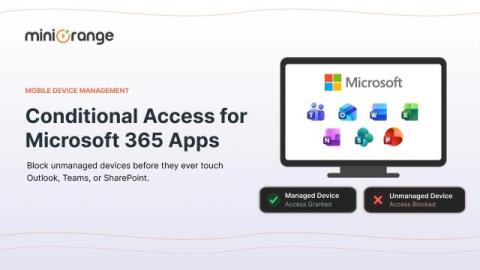
How Conditional Access Protects Microsoft 365 Apps From Unmanaged Devices

Your sales representative logged into Outlook from a coffee shop laptop that isn't enrolled, isn't encrypted, and hasn't seen a security patch in eight months. Should Microsoft 365 let that sign-in through just because the password was correct? That single question is why conditional access exists. Passwords tell you who someone claims to be. They say nothing about whether the device behind that login is safe to trust with your company's email, SharePoint files, or Teams chats.

The Evolution of Octiga Is Coming

Over the past several years, we've had thousands of conversations with MSPs about Microsoft 365 security. We've listened to what works, what doesn't, and how managing security across multiple customer environments can become difficult. One thing has become increasingly clear: Microsoft continues to add more powerful security capabilities, while MSPs continue to manage more customers, more users, and more complex environments.

What are the benefits of Microsoft 365 consultancy?

Microsoft 365 is one of the most widely used business platforms in the world. However, most businesses use only a fraction of what it offers, and leave some of its most important security features either switched off or set up incorrectly. M365 offers far more than the productivity tools we are all familiar with, like Outlook, Word, PowerPoint and Excel. Used properly, it’s a powerful cybersecurity platform. Used poorly, it offers a false sense of protection.

M365 security was designed to manage one tenant... MSPs manage more.

Microsoft 365 has no shortage of security features. Conditional Access, Defender, Intune, MFA, mailbox controls, identity management, and more give MSPs plenty of tools to secure their customers. What we do (or rather, don’t do) with these tools is what causes issues. These tools and settings must be configured correctly across every tenant, and we need to be sure they stay that way.

Deploying Microsoft 365 Policy Management in Complex Environments

Achieving regulatory compliance across a modern enterprise requires a reliable strategy for Microsoft 365 policy management. In complex organizational structures, simply storing documents in cloud libraries is not enough; organizations must actively distribute, track, and verify that critical policies are read and acknowledged. Implementing purpose-built Microsoft 365 policy management ensures your compliance processes transition from passive document storage to an automated, audit-ready policy management system natively integrated into your existing workspace.

Managing Microsoft Teams with One Identity Active Roles

Over 300 million people rely on Microsoft Teams to get their work done every day. That’s a lot of messages, meetings and “you’re on mute” moments happening every day. Teams makes it easy to collaborate. Too easy, sometimes. Anyone can create a new channel, add users and start sharing files in minutes. That’s great for getting work done, but it’s also how things get out of control. If you manage Teams, you’ve probably seen this happen.