
Security | Threat Detection | Cyberattacks | DevSecOps | Compliance

Comprehensive Guide to Backing Up Office 365 Emails

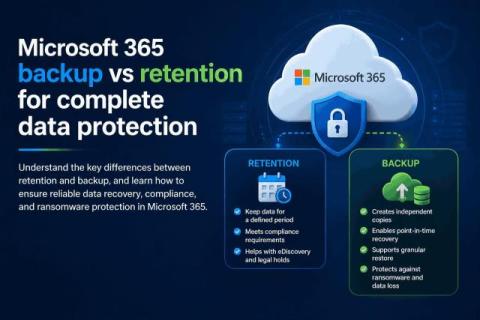
Do you regularly back up Office 365 emails? If not, there’s bad news. Even cloud giants like Microsoft can experience outages and disruptions. And contrary to popular belief, Microsoft holds your organization responsible for any data loss due to these events. Moreover, according to Microsoft’s Shared Responsibility Model, protecting all your data within Microsoft 365 infrastructure is solely your responsibility.

Common Office 365 Issues and How to Solve Them

You may encounter issues when using any application, and Office 365 is no exception. Not all issues are caused by bugs left unpatched by the software vendor or by third-party applications like the recent Crowdstrike incident that caused a global O365 outage. Many issues that you may face day-to-day can be fixed on the client side. If you encounter an issue in Office 365 that can only be fixed by the vendor, Microsoft usually releases an update to resolve any known issues as soon as possible.

Microsoft 365 E7 Is Here: 10 Questions Every Security Leader Needs Answered

Microsoft 365 E7 launches May 1, 2026. At $99 per user per month, it is the most complete Microsoft enterprise license ever shipped. It bundles E5, Copilot, Entra Suite, and the new Agent 365 into a single SKU. We have fielded hundreds of questions from customers about what E7 means for their security posture, their licensing strategy, and their AI readiness. Here are the 10 questions that come up the most, answered from a security partner perspective.

Backing Up Microsoft 365 SharePoint Data to Amazon S3: A Comprehensive Guide

SharePoint backup and Office 365 backup, in general, are an essential part of an organization’s data protection and security strategy. Microsoft 365 backups can be stored on-premises, but the recommended practice is to follow the 3-2-1 backup rule and store backup copies in the cloud too. With the NAKIVO solution, you can implement this effective backup strategy to protect Microsoft 365 data in SharePoint Online as well as in Exchange Online, Microsoft Teams, and OneDrive for Business.

New Integrations with Microsoft Teams and ISEC7 Now Available for NC Protect for M365

As organizations increasingly rely on Microsoft Teams for internal and external collaboration, the platform’s chat and file-sharing capabilities have become central to daily operations. However, speed and flexibility come with risk. User-managed collaboration tools can create challenges in maintaining control over data access and enforcing compliance with organizational sharing and usage policies.

How Netwrix DSPM complements Microsoft 365

Netwrix DSPM enhances Microsoft 365 security with unified data discovery, context-aware risk prioritization, automated remediation, and continuous compliance monitoring. While M365 provides foundational security through Purview and Entra ID, it lacks visibility into shadow data and automated risk response. Netwrix closes these gaps, helping organizations discover sensitive data, enforce least privilege, and respond faster to threats.

Teams sprawl: Managing Microsoft Teams proliferation

Teams sprawl is one of the most overlooked security risks in Microsoft 365 environments. When all your employees can create teams on demand, without approval, naming conventions, or expiration policies, the result is hundreds of ungoverned workspaces with no clear ownership, inconsistent naming, and scattered data. That governance gap creates measurable risk.

How MSPs Can Standardize Microsoft 365 Security at Scale| Acronis Cyber Protect Cloud Demo Series

Managing Microsoft 365 security across multiple customer tenants is complex, time-consuming, and difficult to standardize. In this video, we show how MSPs can use Security Posture Management for Microsoft 365 to turn M365 security into a repeatable, scalable service — without relying on senior technicians or juggling multiple Microsoft portals.

How MSPs can solve their Microsoft 365 productivity crisis with AI and automation

Microsoft 365 is both powerful and challenging for managed service providers (MSPs). It's nearly ubiquitous at client sites, which means MSPs don't have to worry about managing multiple business suites. Unfortunately, protecting Microsoft 365 isn't easy. Microsoft's own level of protection is limited by design, and MSPs often have to cobble together a collection of unintegrated tools to keep Microsoft 365 data safe for clients. Technicians end up stretched thin as tickets pile up.

Delivering Microsoft 365 Management Security and Protection Profitably

Summary Microsoft 365 is mission-critical for SMBs, but managing it with fragmented backup and security tools creates complexity, security gaps, and shrinking margins for MSPs. Disconnected solutions increase manual work, operational overhead, and risk across email, data, identity, and compliance. A unified Microsoft 365 protection approach consolidates backup, XDR, email security, archiving, security awareness training, and posture management into a single multi-tenant platform.