Security | Threat Detection | Cyberattacks | DevSecOps | Compliance

Microsoft 365: What Are Your Duties Within The Shared Responsibility Model

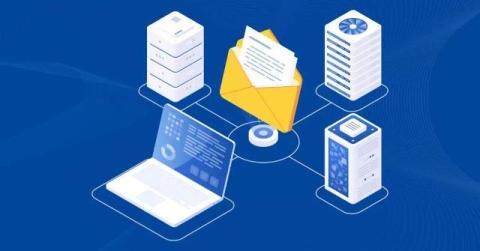
Microsoft operates under the Shared Responsibility Model. This means that certain areas of security tasks are your duties, as a customer, and some are the cloud provider’s while others may be a shared responsibility. Most importantly, Microsoft is responsible for its global infrastructure, including each data center and the uptime of the Microsoft 365 service. Your responsibility as the user is to manage and protect your customer data within the Microsoft ecosystem.

Microsoft 365 Backup Best Practices

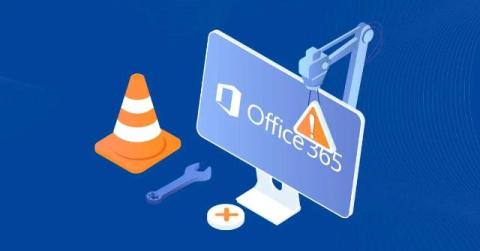
Did you know that the average cost of an outage can be as high as $9K per minute? Risks concerning your Office 365 data range from accidental deletions and ransomware to service outages. In 2025, we already witnessed a number of outages happening throughout the year. On March 1, several key services such as Outlook, Teams, and even Azure were disrupted. It is reported that 30K Outlook users, 150 Microsoft Teams users, and 24K Office 365 users were affected by this.

Managing Microsoft Teams the right way: Balancing freedom and control

Microsoft Teams has become the standard tool for digital collaboration in companies, public institutions and organizations alike. The platform offers all the functions modern teams need: Chat, meetings, file storage, project collaboration and more – fundamentally changing the way we work together across states and countries. But despite all the enthusiasm, Teams is not without its drawbacks – especially when used without proper control.

Is Microsoft 365 GCC High Needed for CMMC Certification?

CMMC is a strict certification, but there’s also a lot of variation within its security controls and the demands it makes of agencies looking to achieve that certification. The standards are high, especially at the higher levels of CMMC, but there are also many tools and platforms available to meet those needs appropriately, without reinventing the wheel from base principles. Businesses need the tools necessary to function in a modern digital world.

How Nightfall Brings AI-Native Context-Aware DLP to Microsoft 365

It's 8:47 AM. Your phone buzzes with another "urgent" DLP alert. You've already ignored three this morning. This one screams "SENSITIVE DATA DETECTED" in all caps. But it’s just a lunch menu with a credit card number for catering. You silence the notification and grab your coffee. What you don't know? While you're dismissing false alarms, your VP of Finance just dropped next quarter's earnings in a public Teams channel. Your DLP system? Completely silent.

Why Back Up Microsoft 365?

Any tool that is crucial for your daily operations – from Microsoft Teams or emails to OneDrive files – needs backup and reliable restore strategies. This way, you support the business continuity, compliance efforts, credibility, and overall security stance of your business. Keep in mind – without a well-thought-out backup strategy, you are risking being exposed to: Let’s take a closer look at aspects affecting your Microsoft 365 data.

New Phishing Kit Bypasses MFA to Steal Microsoft 365 Credentials

Attackers are using a newly discovered phishing-as-a-service (PhaaS) platform dubbed “Salty 2FA” to target a wide range of industries across North America and Europe, according to researchers at ANYRUN. The phishing attacks are delivered via email and primarily attempt to steal Microsoft 365 credentials. Like many popular commodity phishing kits, Salty 2FA is designed to bypass a variety of multifactor authentication measures.

How KnowBe4 Defend Seamlessly Integrates with Microsoft Defender for Office 365 Quarantine-And Why SOC Teams Should Care

Modern Security Operations Centers (SOCs) face a persistent challenge: managing threats across multiple security tools while maintaining operational efficiency. While single-vendor approaches offer simplicity, they often leave gaps that sophisticated attackers are quick to exploit. The reality is that today's threat landscape demands a more nuanced approach—one that combines the best capabilities from multiple specialized vendors.

Microsoft 365 Disaster Recovery best practices

We can all agree that Microsoft 365 powers the daily operations of many modern organizations. These often include data critical for business continuity, which simply flows through Teams, OneDrive, and SharePoint; therefore, even a short service outage could negatively impact productivity or regulatory compliance. However, despite its importance, disaster recovery, or DR, for Microsoft Office is often misunderstood or assumed to be fully covered by Microsoft.