Security | Threat Detection | Cyberattacks | DevSecOps | Compliance

Beyond the Login Screen: Why Qualified Electronic Signatures Belong in Identity Security

For years, identity security was mostly discussed as an access problem. Can the right person log in? Is multi-factor authentication enabled? Are privileged accounts protected? Can stolen credentials be used from an unknown device? Those questions still matter. But they describe only the beginning of a digital transaction.

How Is AI Transforming Identity and Access Management?

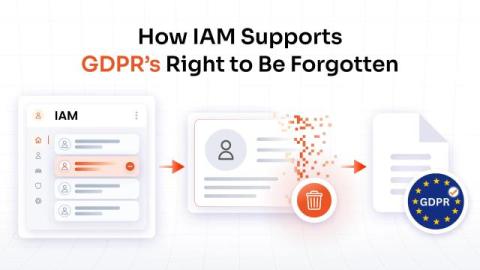
Traditional Identity and Access Management (IAM) relies on authentication methods, predefined roles, and access policies to control who can access business applications and data. These controls remain essential, but they do not always provide enough context to identify unusual behavior or changing access risks. AI in Identity and Access Management (IAM) adds another layer of intelligence by analyzing login context, user behavior, device information, access patterns, and identity activity.

MFA for Telecommunications: Securing Networks, Admins, and Customer Accounts

A single telecom login is one of the most dangerous keys in existence. Behind it sit subscriber identities, billing systems, and the network backbone every other industry depends on. In April 2025, SK Telecom admitted attackers had stolen authentication records tied to its USIM cards, affecting 27 million subscribers, with malware present for years before discovery. Weeks earlier, the FBI warned of a campaign using AI-generated voice and text to trick targets into handing over account access.

What is Identity Governance and Administration (IGA)?

Enterprises today manage thousands of identities across employees, contractors, applications, APIs, and machine-driven systems. In most environments, identities have become the primary security boundary, yet access remains fragmented, overprovisioned, and difficult to track. According to IBM's X-Force Threat Intelligence Index, identity-based attacks now account for nearly one-third of all intrusions, highlighting how identity has become one of the most targeted layers in modern cybersecurity.

What Is SIEM? How It Works With DLP to Detect Data Threats

Most security teams don’t lose the fight against data breaches because they lack tools. They lose because their tools don’t talk to each other. This is exactly the loophole that SIEM and DLP were built to close, together. Security information and event management gives you visibility into what’s happening across your entire environment. At the same time, data loss prevention gives you the control to stop sensitive information from leaving in the first place.

What Is MFA for Air-Gapped Networks? Closing the Last Security Gap in Isolated Systems

Air-gapped networks are supposed to be untouchable. No internet connection, no remote pathway, no way in for an attacker sitting halfway across the world. But ask any security team that has actually run one of these environments, and you'll hear a different story. Air gaps stop remote attacks cold. But they do almost nothing to stop a stolen password, a careless USB stick, or an insider with too much trust and too little oversight. That's the gap, and Multi-Factor Authentication (MFA) is here to fill it.

How to Hide the Status Bar and the Notification Bar on Android Devices?

Android devices are designed for flexibility. Employees can check notifications, adjust connectivity, open settings, and move between apps with a few taps. That flexibility works well for personal use, but it can introduce distractions, security gaps, and usability issues when a device is dedicated to business tasks.

Identity Sprawl: Risks, Causes, and Best Practices for Enterprise Identity Management

An employee leaves the company, but their SaaS account remains active. A contractor still has access to a project workspace months after the contract ends. Someone changes departments and keeps permissions from their previous role. Meanwhile, IT is managing identities, human and non-human across multiple directories, cloud platforms, SaaS applications, and third-party tools. Individually, these accounts may seem insignificant.

How Conditional Access Protects Microsoft 365 Apps From Unmanaged Devices

Your sales representative logged into Outlook from a coffee shop laptop that isn't enrolled, isn't encrypted, and hasn't seen a security patch in eight months. Should Microsoft 365 let that sign-in through just because the password was correct? That single question is why conditional access exists. Passwords tell you who someone claims to be. They say nothing about whether the device behind that login is safe to trust with your company's email, SharePoint files, or Teams chats.