Phishing Prevention Tips
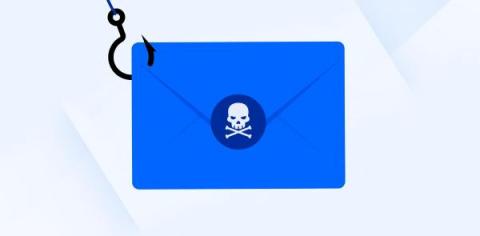
Phishing prevention can be difficult since it is constantly morphing and so common. A multi-pronged approach usually works best for addressing this threat.


Phishing prevention can be difficult since it is constantly morphing and so common. A multi-pronged approach usually works best for addressing this threat.
The 2022 holiday shopping season is here. Retailers’ discounts are kicking off early, and shoppers are eager to spend, especially with big price markdowns to come as the season progresses. And with the COVID-19 pandemic still a concern to shoppers, more people are expected to shop online this season. What this also means is that as consumers whip themselves into a shopping frenzy, cybercriminals have activated their seasonal scams to try and steal money or personal information.
Phishing attacks are becoming more and more common, and they're only getting more sophisticated. While there are a variety of ways to defend yourself against phishing attacks, one of the best methods is simply to be able to spot them. With that in mind, here are 10 common signs that an email or other communication may be a phishing attempt.
“You’ve inherited a fortune. To transfer the money, I need your bank account credentials.” If you have ever stumbled across something like this, you need to continue reading. According to Verizon’s 2022 Data Breach Investigations Report, 25% of all data breaches consistently involve phishing. How does this happen? The fraudsters who are involved in phishing are some of the best content writers.
Humans are considered the weakest link in cybersecurity. No matter how much a company invests in firewalls, antivirus, and other security software to detect, deter, and prevent attacks humans will always be the main vectors for compromise. If no adequate user-security training is provided within the organization, they will always be at risk. Phishing is one of the oldest cyber-attacks yet one of the most used by attackers due to its effectiveness and low cost.
Email allows people to instantly connect with others across the world and share almost any information they want. They frequently contain text, document attachments and multimedia such as images and videos. With all of this information able to be shared, chances are you’ve sent a good amount of sensitive information to other people over the years – and that makes your email account a target for cybercriminals.
Netskope Threat Labs recently discovered a phishing campaign that is abusing Adobe Acrobat to host a Microsoft Office phishing page. While abusing free cloud services to host malicious content is a popular attack technique, this is the first time we have seen Adobe Acrobat used to deliver malicious content. The attack starts with a phishing email that lures the user into opening a PDF file that redirects them to an Adobe Acrobat URL.
Phishing is one of the most common online security threats. A phishing website tries to mimic a legitimate page in order to obtain sensitive data such as usernames, passwords, or financial and health-related information from potential victims. Machine learning (ML) algorithms have been used to detect phishing websites, as a complementary approach to signature matching and heuristics.