Security | Threat Detection | Cyberattacks | DevSecOps | Compliance

10 AI Agent Guardrails to Implement Today

AI agent guardrails are the controls that define what an AI agent can access, which tools it can use, what actions it can take, and when human approval is required. In cloud, SaaS, CI/CD, and production environments, these guardrails are especially important because agents can inherit permissions and affect sensitive resources faster than a human operator could manually review.
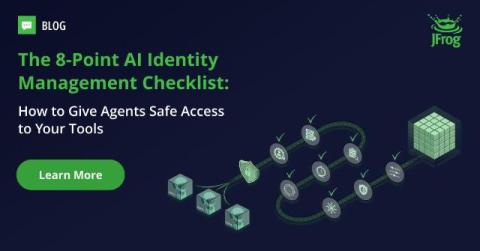

Secure AI Workflows: The Identity and Access Management (IAM) Checklist

AI agents and LLMs are already building, analyzing, and deploying code across your software development lifecycle. As software supply chains become increasingly AI-driven, proactive security and access controls are your only path to success. To effectively govern authentication and permissions without sacrificing development speed, you must update your access management strategies.

The PAM problem no vault can solve

You can stand up a vault in two weeks. The team at One Identity says that’s about how long it takes to get the basics running, from discovery scans to approval workflows. Two to four weeks of work, and a respectable PAM foundation is in place. That’s not the hard part. The hard part starts the next morning, when actual users start working around the system.

Safeguard: Using the double-edged sword of AI for good

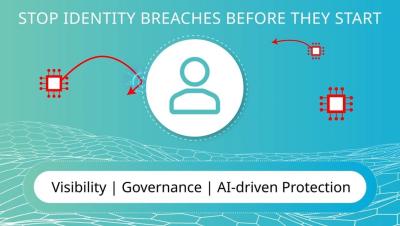
The concept of AI might trigger both excitement and stress for those who spend all their time either using it for efficiency or fighting it as it tries to breach their systems. A massive force of non-human identities that have been summoned to expose the tiniest cracks in an organization’s security is enough to overwhelm any IT team. However savvy, modern security professionals have begun to raise their own versions of AI armies – designed to stop those sent by malicious actors.

Automated provisioning and governance for healthcare company, B Braun

Join B Braun representatives Andreas Müller, IT project manager, and Michal Kasynski, identity manager engineer as they explore their choice of One Identity Manager for their healthcare and pharmaceutical company’s identity governance and administration (IGA) needs.

Top 16 AI Agent Security Solutions

AI agent security solutions fall into two categories. Some use AI agents to perform security work, such as red teaming, pentesting, SOC investigation, threat hunting, and risk analysis. Others protect AI agents, copilots, MCP servers, and agentic workflows from vulnerabilities such as over-permissioning, prompt injection, unsafe tool use, data exposure, and unauthorized actions.

Episode 2: Least privilege access

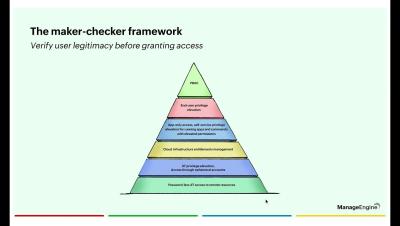
In this episode, we'll walk you through one of the core tenets of PAM360: eliminating standing privileges. You will learn how to replace permanent administrative access with just-in-time (JIT) privilege elevation, reduce your attack surface, and enforce least-privilege access across your endpoints and critical systems. We will also break down PAM360's privilege elevation framework—built on a maker-checker model and policy-based access—so you can configure and scrutinize access requests, automate approvals, and enable dynamic controls for applications and user actions.

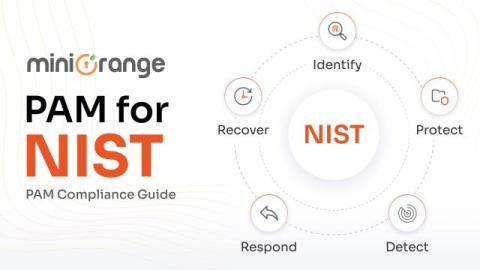
NIST Privileged Access Management: Complying with the NIST Requirements

Privileged accounts are the crown jewels of any IT environment. Admin credentials, root access, service accounts. These are what attackers go after first, because compromising one can hand them the entire organization. Forrester puts the number at 80% of security breaches involving privileged accounts. NIST frameworks, particularly SP 800-53, exist to make sure you're not leaving that door unlocked.

From Access Details to Actually Connected: Introducing the Apono Access Launcher

Approved access shouldn’t mean you’re done waiting. For most developers, it just means the friction is about to start. You request access to a database. It gets approved. Now what? You open the portal, navigate to your request, find the session, click into Access Details, hunt for the right tab, copy a hostname, switch to your database client, create a new connection profile, paste in the hostname, go back for the username, go back for the password. And finally, connect. Whew.