On August 27, Google sent us an email. We did not. We barely recognized the hostname. None of us had thought about dev-docs.trackjs.com in about ten years.
Your firewall says nothing is wrong. Your EDR has a few low-confidence alerts. Users aren't reporting outages. But something still feels off. That's the exact situation where a DNS log file stops being “just another log” and turns into one of the most useful artifacts in the environment. Attackers lean on DNS because every network depends on it, it is often treated as background noise, and suspicious lookups can blend into legitimate traffic for a long time.
Ensuring robust email authentication is fundamental to protecting your domain name from email spoofing and phishing attacks. Central to this defense is the Sender Policy Framework (SPF), an authentication protocol designed to validate authorized IP addresses allowed to send emails for your domain. To maintain SPF compliance and maximize email deliverability, leveraging the right set of SPF checker tools is crucial. This section highlights the 10 best SPF validation tools that ensure your SPF records in DNS are error-free, up-to-date, and provide effective risk assessment against email-based threats.
At some point, every enterprise faces the same quiet operational nightmare: hundreds of users, thousands of devices, multiple locations, and someone in the IT department manually managing who gets access to what. Active Directory (AD) was Microsoft's answer to that problem when it shipped with Windows 2000, and it remains, over two decades later, the dominant identity and access infrastructure in enterprise networks worldwide.
For decades, enterprise security architecture rested on a comforting fiction: that inside the network and outside the network meant something. The user on the corporate LAN was protected. The user anywhere else was somebody else's problem. Then the workforce stopped sitting still. Hybrid work, branch sprawl, BYOD, contractor laptops, field engineers, sales teams permanently on the road—your workforce stopped being a place and became a population.
Most breaches don't announce themselves; they whisper. A subtly malformed DNS query here. A DHCP lease request that looks almost normal there. A client that suddenly requests a domain no one in your organization has ever heard of. By the time these whispers become alarms on a SIEM dashboard, attackers have often already moved laterally, exfiltrated data, or cemented persistence. In traditional DNS, DHCP, and IPAM (DDI) setups, these signals are buried under millions of legitimate transactions.
Exactly 8 years ago today, we launched the 1.1.1.1 public DNS resolver, with the intention to build the world’s fastest resolver — and the most private one. We knew that trust is everything for a service that handles the "phonebook of the Internet." That’s why, at launch, we made a unique commitment to publicly confirm that we are doing what we said we would do with personal data.
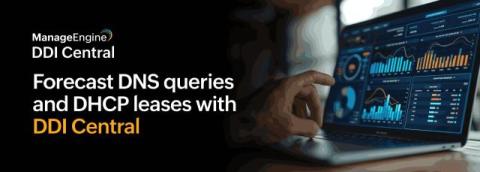
DNS and DHCP services in an organization’s network experience constant fluctuations in query spikes, lease requests, and client connections over time. Network administrators must continuously monitor these patterns to ensure service stability and availability. However, in fast-paced and growing networks, a proactive approach is far more effective than a reactive one. This allows teams to identify and resolve service-related issues before they lead to network disruptions or IP exhaustion.
Artificial intelligence is accelerating digital transformation at an unprecedented pace. New AI-driven applications, copilots, data pipelines, APIs, and cloud services are spinning up faster than ever before. But while innovation moves at machine speed, governance often lags behind. The result? A rapidly expanding external attack surface filled with forgotten assets, abandoned cloud resources, and misconfigured DNS records — many of them quietly waiting to be hijacked.
DNS is foundational to almost every application, yet it is often treated as background configuration rather than a critical dependency. During network changes, DNS settings are easy to overlook. A single device pointing to the wrong resolver, missing a required DNS entry, or retaining a legacy configuration can cause application failures that appear unrelated to the original change.