Security | Threat Detection | Cyberattacks | DevSecOps | Compliance

Audit Kernel Object

The Audit Kernel Object feature dictates whether the operating system records audit events when users try to access the system kernel, encompassing mutexes and semaphores. Security audit events are generated exclusively for kernel objects with a corresponding System Access Control List (SACL). Typically kernel objects are only given SACLs if the AuditBaseObjects or AuditBaseDirectories auditing options are enabled.
Windows 11 Explained: What Do Developers Need To Know About

Windows 11 is the new and trending operating system in the industry. Everyone, from end-users and administrators to software developers, is using it. However, there’s still a question: what exactly does Windows 11 hold for developers? Moving from one OS version to another can be a lot of change for software curators. So, here we have gathered all the details about Windows 11 functionalities and features, helping developers improve efficiency, build high-end apps, and streamline workflow.

Outdated SMB1 Protocols are Dropped in Microsoft's Latest Windows 11

Microsoft implements enhanced connection and encryption and removes outdated SMB1 firewall rules to improve Windows 11 security. Microsoft’s most recent Windows 11 Insider Preview Build includes a significant change to handling firewall rules, especially the outdated SMB1 protocol. By mimicking the actions of the Windows Server “File Server” role, the new method seeks to give customers a better level of network security.

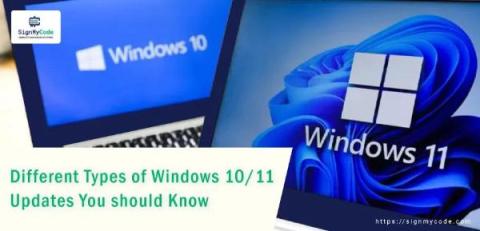
Different Types of Windows 10/11 Updates You Must Know

Whether it’s an application or an operating system, every software needs an update to optimize performance, align with trends, and fulfill dynamic user requirements. The same is the case with the Windows 10/11 operating system. Microsoft, the developer of Windows OS, releases several updates for its product. In this blog, you will get to know about each one of them thoroughly. So, let’s get started by understanding the process behind it.

How to perform basic digital forensics on a Windows computer

Digital forensics is a critical field in the investigation of cybercrimes, data breaches, and other digital incidents. As our reliance on computers continues to grow, the need for skilled digital forensics professionals is more crucial than ever. In this guide, we will explore the basics of performing digital forensics on a Windows computer, including key steps, tools, and techniques.

Endpoint Security: More Than Just Windows Machines

Let's talk endpoint security with a dose of reality! 🛡️💻 In this eye-opening discussion, we explore the concept that attackers ultimately aim for an endpoint. But here's the catch: defining what an endpoint means in today's complex digital landscape isn't as straightforward as it seems. If your idea of an endpoint is limited to just Windows machines, you might be in for a surprise. There's a lot more to it! 🌐

How to Perform Windows Registry Repair: Registry Repair Windows 10

The Windows registry is a database that contains important information about your computer — users, preferences, applications, attached devices and much more. The Windows operating system constantly refers to the registry; for example, to open a program, install new software or change your hardware, Windows must check the values of certain registry keys.

The Windows Restart Manager: How It Works and How It Can Be Hijacked, Part 1

Malware utilizes a multitude of techniques to avoid detection, and threat actors are continuously uncovering and exploiting new methods of attack. One of the less common techniques includes the exploitation of the Windows Restart Manager. To stay ahead of malicious authors, it is important to be aware of them and understand how they work.

Protecting your Windows Fleet with Zero Trust

In today's increasingly remote-first business landscape, secure and efficient access to Windows desktops and servers has become more crucial than ever. Join us in this illuminating webinar as we navigate the evolving patterns and practices of remote access, and how to optimally safeguard your Windows Servers. We will spotlight common access patterns, detailing the do's and don'ts for ensuring secure access.