Security | Threat Detection | Cyberattacks | DevSecOps | Compliance

Windows 11 Security Measures: Safeguarding Home and Small Business PCs

When it comes to the security of YOUR home and small business PCs, you must rely on something other than a dedicated IT team like large corporations do. The responsibility falls on your shoulders, making prioritizing security from the outset essential. Waiting until after a catastrophic incident is too late. We created this guide to help you establish a strong security baseline and proactively tackle the most critical issues. This comprehensive guide goes beyond the Windows 11 operating system itself.
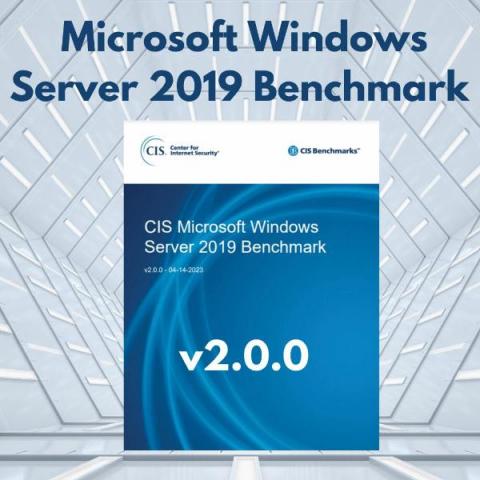
CIS Microsoft Windows Server 2019 Benchmark Hardening

The Center for Internet Security (CIS) team continuously release updates about cybersecurity best practices for new technologies. As of March 2023 all CIS Windows Server and Windows Workstation Benchmarks will be updated once a year to align with Microsoft’s update schedule. Major version updates that CIS will release (i.e., updating from v1.12.0 to v2.0.0) will account for significant changes in the operating system.

The Security Compromise that Comes with Windows 10 End of Support

This announcement presents customers with two choices: Stay on Windows 10 for the time being, or begin planning for an enterprise-wide upgrade to Windows 11. For customers that rely on Microsoft to protect their attack surfaces, migrating operating systems isn’t only an IT decision — it’s also a security decision. Microsoft security features, including Microsoft Defender, are delivered as built-in components of Microsoft operating systems.

Lateral Movement to the Cloud with Pass-the-PRT

Attackers use a variety of tactics to spread laterally across on-premises Windows machines, including Pass-the-Ticket, Pass-the-Hash, Overpass-the-Hash and Golden Tickets attacks. But similar techniques are also effective in moving laterally from a compromised workstation to connected cloud resources, bypassing strong authentication measures like MFA. This article explains how attackers can perform lateral movement to the cloud with an attack called Pass-the-PRT.

Network security LAN Manager Authentication Level

The LAN Manager (LM) is a group of early Microsoft client/server software products that enable users to connect personal computers on a single network. Its features include transparent file and printer sharing, user security features, and network administration tools. In Active Directory domains, the default authentication protocol is the Kerberos protocol. However, if Kerberos is not available for any reason, LM, NTLM, or NTLMv2 can be used as an alternative.

Introducing Windows Passwordless access for local user

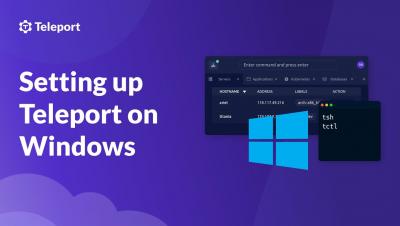
Passwordless Windows Access for local users Get RBAC for Windows Server and Desktops without a reliance on Active Directory. Easily copy text between the clipboard on a client and a remote Windows machine and instantly share directories and files from your local client with no manual upload or download.

Using Windows Defender Credential Guard to Protect Privileged Credentials

The compromise of a single Active Directory credential can lead to unauthorized access to your servers, applications, virtualization platforms and user files across your enterprise. One of the reasons for credential vulnerability is that Windows stores credentials in the Local Security Authority (LSA), which is a process in memory.