Security | Threat Detection | Cyberattacks | DevSecOps | Compliance

Revealing the Secrets of Kubernetes Secrets

Kubernetes secrets are the nativere sources for storing and managing sensitive data, like passwords, cloud access keys, or authentication tokens. You need to distribute this information across your Kubernetes clusters and protect it at the same time. When sending your password to each node in your cluster, it’s critical to ensure that only authorized entities—users, services, or workloads—are able to access it.

TeamTNT: Latest TTPs targeting Kubernetes (Q1-2021)

In April 2020, MalwareHunterTeam found a number of suspicious files in an open directory and posted about them in a series of tweets. Trend Micro later confirmed that these files were part of the first cryptojacking malware by TeamTNT, a cybercrime group that specializes in attacking the cloud—typically using a malicious Docker image—and has proven itself to be both resourceful and creative.

Sysdig Adds Unified Threat Detection Across Containers and Cloud to Combat Lateral Movement Attacks

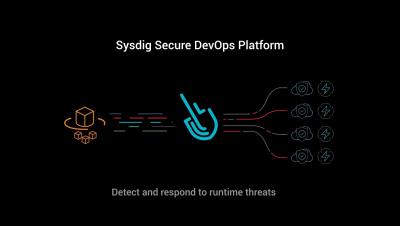
Sysdig introduces continuous CSPM to the Sysdig Secure DevOps Platform, multi-cloud threat detection for AWS and GCP, and a new free-forever cloud security tier. With 70% of cyberattack breaches utilizing lateral movement, Sysdig uniquely detects and responds to threats across cloud and containers.

Cloud lateral movement: Breaking in through a vulnerable container

Lateral movement is a growing concern with cloud security. That is, once a piece of your cloud infrastructure is compromised, how far can an attacker reach? What often happens in famous attacks to Cloud environments is a vulnerable application that is publicly available can serve as an entry point. From there, attackers can try to move inside the cloud environment, trying to exfiltrate sensitive data or use the account for their own purpose, like crypto mining.

AWS CIS: Manage cloud security posture on AWS infrastructure

Implementing the AWS Foundations CIS Benchmarks will help you improve your cloud security posture in your AWS infrastructure. What entry points can attackers use to compromise your cloud infrastructure? Do all your users have multi-factor authentication setup? Are they using it? Are you providing more permissions that needed? Those are some questions this benchmark will help you answer. Keep reading for an overview on AWS CIS Benchmarks and tips to implement it.

Unified threat detection for AWS cloud and containers

Implementing effective threat detection for AWS requires visibility into all of your cloud services and containers. An application is composed of a number of elements: hosts, virtual machines, containers, clusters, stored information, and input/output data streams. When you add configuration and user management to the mix, it’s clear that there is a lot to secure!

Getting started with cloud security

Your application runs on containers and talks to multiple cloud services. How can you continuously secure all of it? With Sysdig you can. Continuously flag cloud misconfigurations before the bad guys get in. And suspicious activity, like unusual logins from leaked credentials. All in a single console that makes it easier to validate your cloud security posture. It only takes a few minutes to get started.

Developer Driven Workflows - Dockerfile & image scanning, prioritization, and remediation

When deploying applications in containers, developers are now having to take on responsibilities related to operating system level security concerns. Often, these are unfamiliar topics that, in many cases, had previously been handled by operations and security teams. While this new domain can seem daunting there are various tools and practices that you can incorporate into your workflow to make sure you’re catching and fixing any issues before they get into production.

CloudCasa Demo - Persistent Volume Backup Utilizing on Amazon EKS Cluster

Watch this video to learn how to easily set up backup and recovery jobs for your persistent volumes in Amazon Elastic Kubernetes Service (EKS). Start by adding your clusters to the CloudCasa service and defining backup jobs for your auto-discovered resources. Select from predefined backup policies for your persistent volumes and enable CSI snapshots to establish recovery points in time. Easily select and restore cluster resources and data from your backup data sets.